01
See every agent
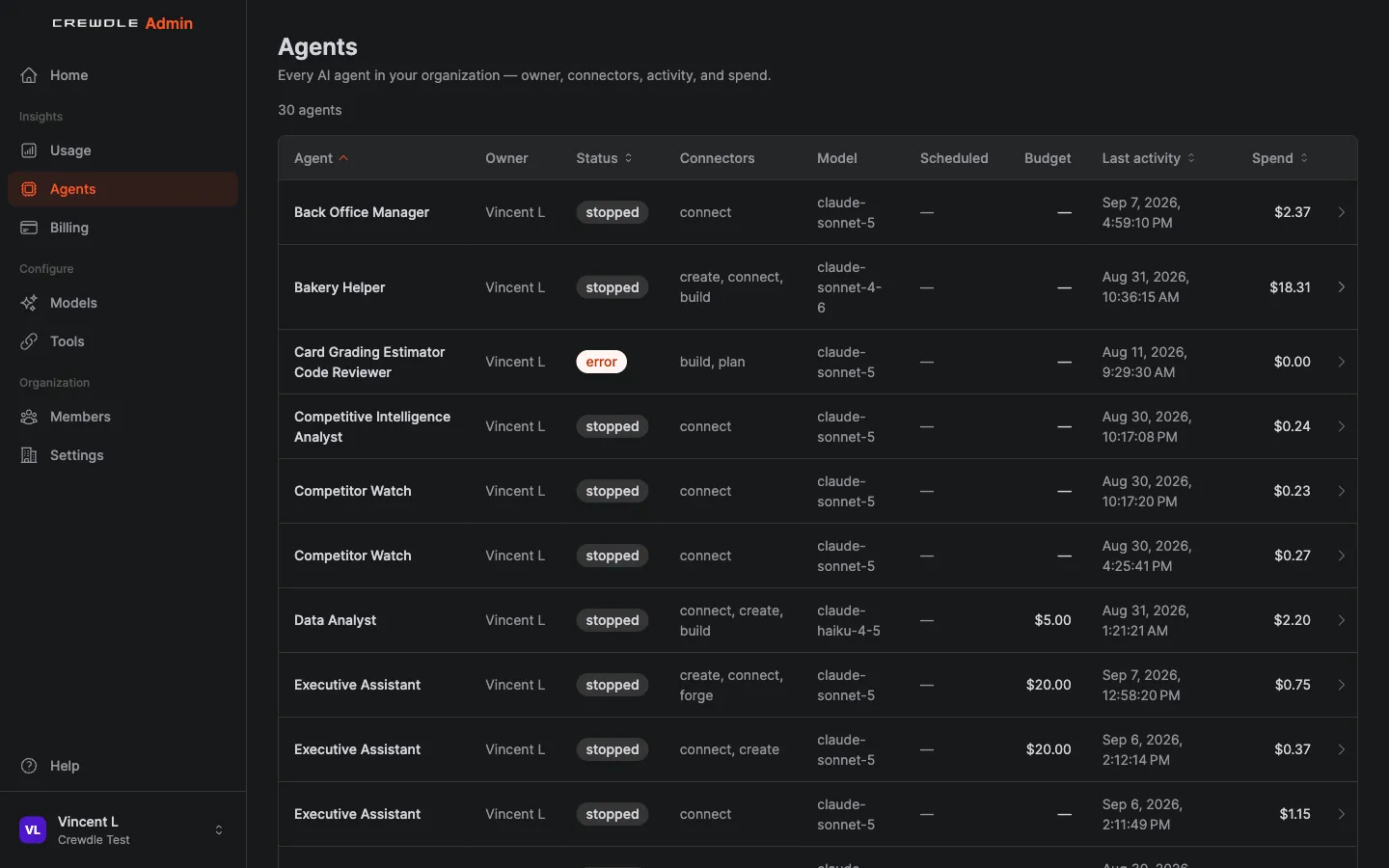
One page lists every agent in the organization, whoever hired it: owner, model, schedule, budget, activity and spend.
Business governance in one console: every agent’s budget and spend, your team’s roles, who can use which tools and models, and one bill. For the person who keeps the business moving.
Crewdle Admin is the control room for your AI workforce and the tools around it. From one console you see every agent in the organization with its owner, model, budget and spend, invite your team, decide which tools and models each role can use, switch integrations on from the Tools page, and keep the AI bill predictable, without spreadsheets or guesswork. New accounts start with $10 of credit, and you can see what every model costs before you use it.
Read the documentationOne page lists every agent in the organization, whoever hired it: owner, model, schedule, budget, activity and spend.
Invite people, assign roles, decide who can hire agents and which tools and models each role can use.
Cap any agent with a monthly budget, route work to the right model, and get alerts before the bill runs hot.
One page lists every agent in the organization: owner, connectors, model, schedule, budget, activity, and spend.
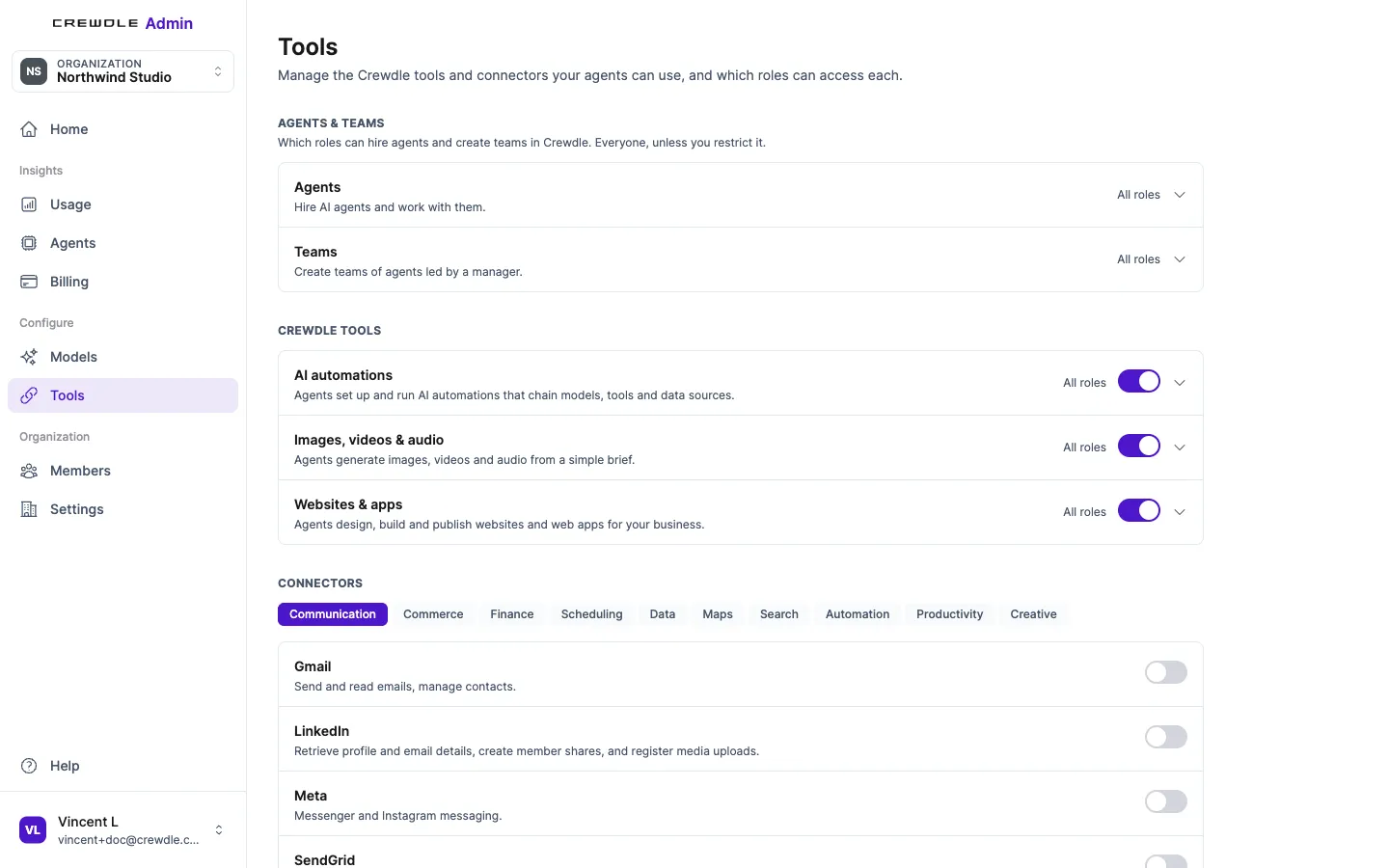
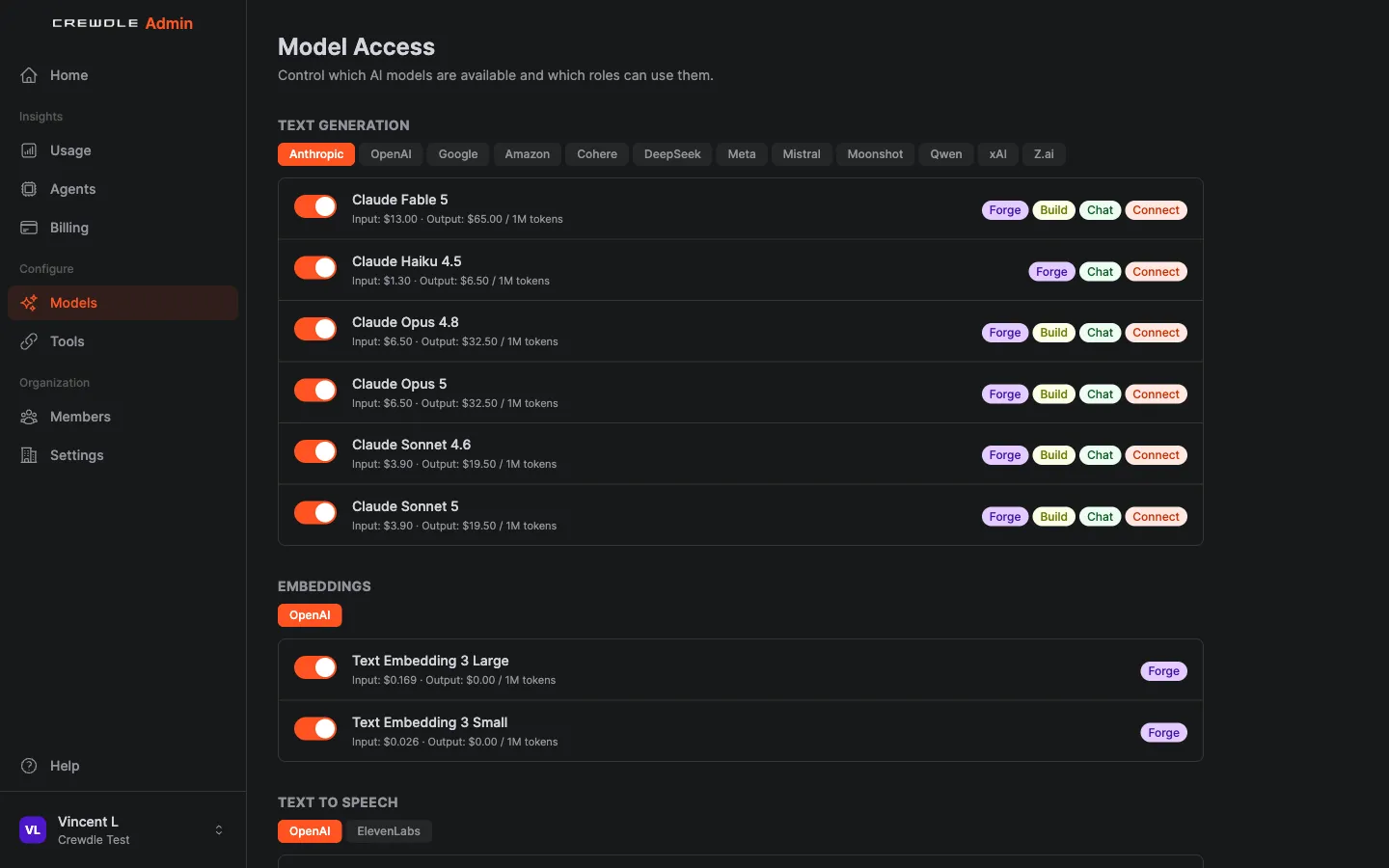
Per-role access to every tool and every model. Decide exactly who can use what.
Switch on the connectors and platform tools your agents may use, role by role. Blender and Roblox stay off until you turn them on.
Check chats, agents and AI automations against your policies. Monitor only, or block. Counts and reasons, never message content.
About AI guardrailsLink your Microsoft Entra ID tenant in Admin → Organization and your team signs in with Microsoft; usage reports can then be broken down by directory segment.
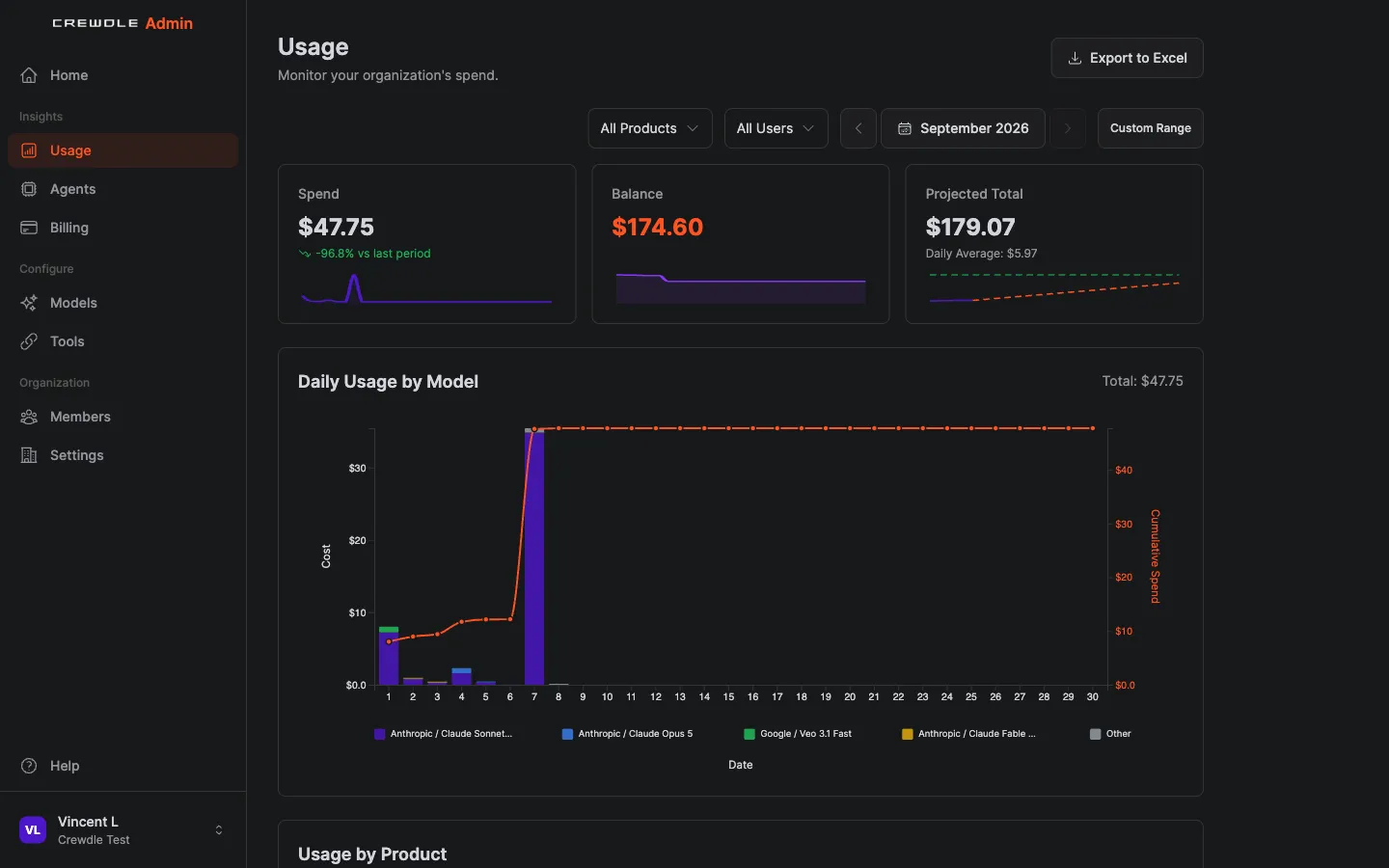
Token spend by model, user, and product, with a projected month-end total.
See the credit price of every model before you switch it on. Premium models are flagged.
Send routine work to cheaper models. Save the top models for the hard stuff.
Auto top-up refills your balance, and a low-balance alert warns you first.
Every agent’s tasks and every chat on one statement, with receipts for finance.
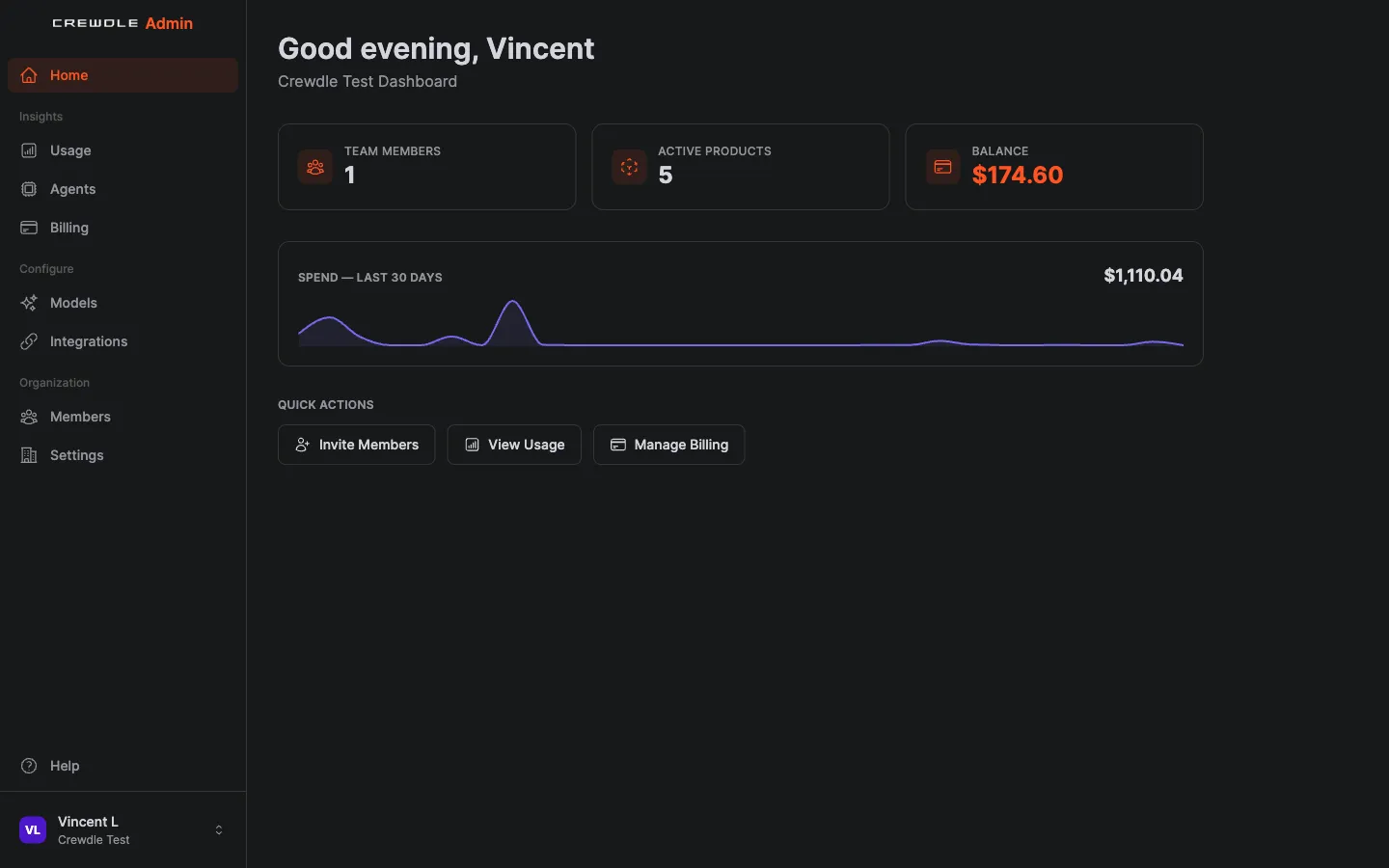
Invite them, assign a role, and they have exactly the tools and models they need on day one.
Link your Entra ID tenant and your team signs in with Microsoft. The full Crewdle experience inside a Microsoft Teams tab is coming soon.
Crewdle for Microsoft TeamsBlender and Roblox are off by default. Switch them on in the Tools page for the roles that need them, and everyone else never sees them.
See which product, person, or model is driving spend before the month closes, and adjust.
Replace a stack of separate AI invoices with a single statement, a live credit balance, and receipts you can download.
New accounts get $10 of credit and there is no subscription. Add a payment method only when you want to buy more.
Yes. Model and tool access is set by role, so you decide exactly who can reach which models, connectors and platform tools.
Yes. An admin links your Microsoft Entra ID tenant in Admin → Organization, your team signs in with Microsoft, and usage reports can be segmented by directory. Crewdle for Microsoft Teams, the full experience in a Microsoft Teams tab, is coming soon.
From the Tools page in Admin. Connectors and platform tools are switched on per role; Blender and Roblox are off by default and available to every organization.
Use the live usage dashboard, set a low-balance alert, enable smart model routing, and turn on auto top-up so the bill never surprises you.
Yes. New accounts start with $10 of credit and there is no subscription or per-seat fee. You only add a payment method when you want to buy more credits.
Yes. The model access page shows the credit price of every model and flags premium ones, so you can choose with cost in mind.
Yes. The Agents page lists every agent in the organization, whoever owns it, with its owner, connectors, model, schedule, budget, last activity, and credit spend. Open one to see its activity turn by turn and set a monthly budget.
No subscription. No credit card. Pay only when the AI works. If you're a real business, we'll throw in a 30-minute demo with a human.
