Hire your first AI agent
How hiring works on Crewdle: pick a role in the marketplace, choose its model, give it work in plain language, approve what it proposes, and pay per task.
Last updated
An agent on Crewdle is a persistent teammate, not a chat window. It has a role, its own memory, files and skills, and access to the tools you allow. You hire it once, give it work in your own words, and it comes back with results, with questions when a decision is yours, and with a log of what it did and spent. It runs around the clock in a secure environment Crewdle operates, whether or not you are signed in.
Pick a role
Inside Crewdle, open the Marketplace: 54 ready-made agents across operations, marketing, sales, support, finance, people, legal, product, engineering, research, data and games, plus 12 pre-made teams. Each card shows what the agent does, the skills it arrives with and the tools it suggests connecting. The same roles have their own pages in the public catalogue, with what you hand the agent, what you get back, and what a typical task costs. If several distinct skills are needed at once, hire a team instead: a manager agent plans the work and briefs its specialists. See Teams.
Not sure who you need? Describe the job on the home page, or ask in a Crewdle chat, and Crewdle proposes the agent or team that would do it. No exact fit? Click the + in the Agents section of the sidebar and describe the role yourself.
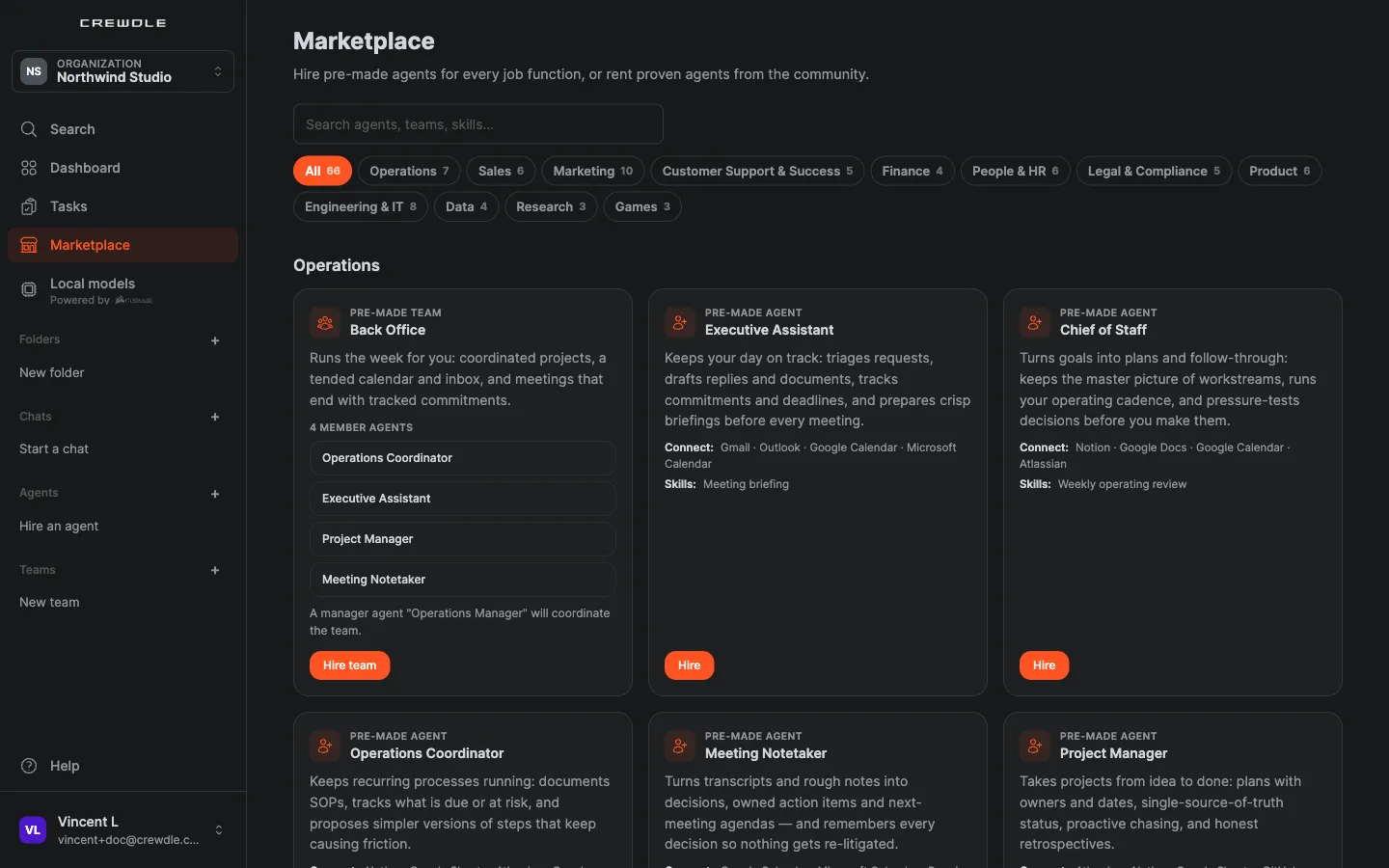 The Marketplace in the app: filter by department, then hire a pre-made team or a single agent.
The Marketplace also lists community agents for rent: proven agents other organizations have trained and listed. A rental is your own private copy; you pay your usage plus the owner's royalty.
Hire it
Click Hire on a card, or on the agent's page in the catalogue. A hire review shows the setup before anything is created, including the model the agent will use: marketplace agents default to the latest Claude Opus or Sonnet models, and you can pick any other model your organization allows (for a team, you pick each member's model). Confirm, and the agent appears in your sidebar like a new colleague. Hiring itself costs nothing; you pay only when it works. New accounts start with $10 of credit and no card is needed.
In the Refine step of the hire wizard you can turn on Private AI mode. With a private agent, the model provider keeps none of the data, and its AI automation runs are private too. It costs more (2.0× the model price instead of 1.5×, except agent memory embeddings, which stay at the standard price) and cannot be changed after hiring. A private agent shows “· Private” next to its model. It can use image, video, 3D and Roblox tools, but Private AI mode makes no zero-retention promise for the models those tools call. It keeps its logs and history, stored in dedicated infrastructure in the region your organization chose. It is also available when you hire a pre-made agent from the Marketplace. See Private AI mode.
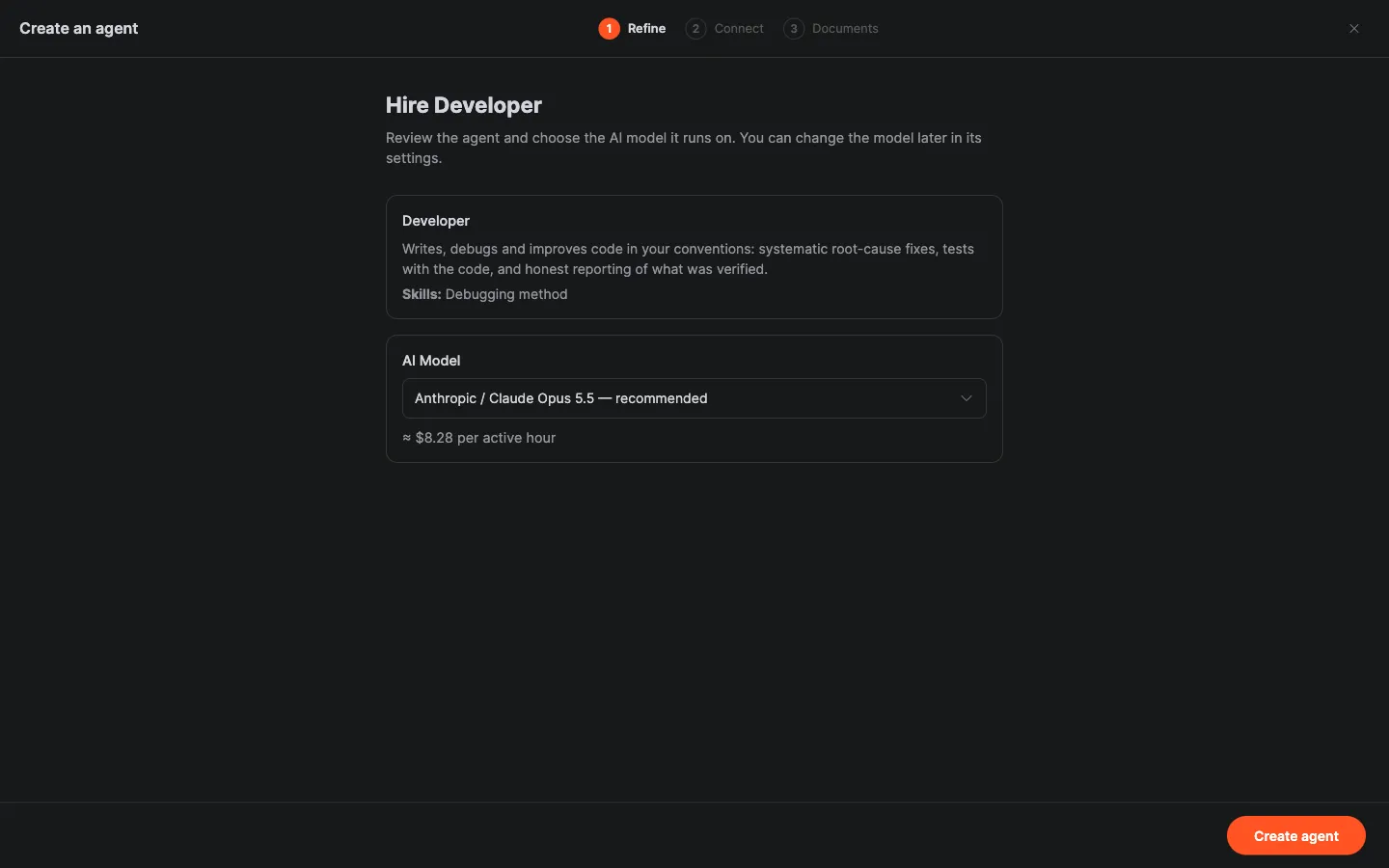 Hiring a single agent: review its role and skills, pick its model, and see an estimated cost per active hour.
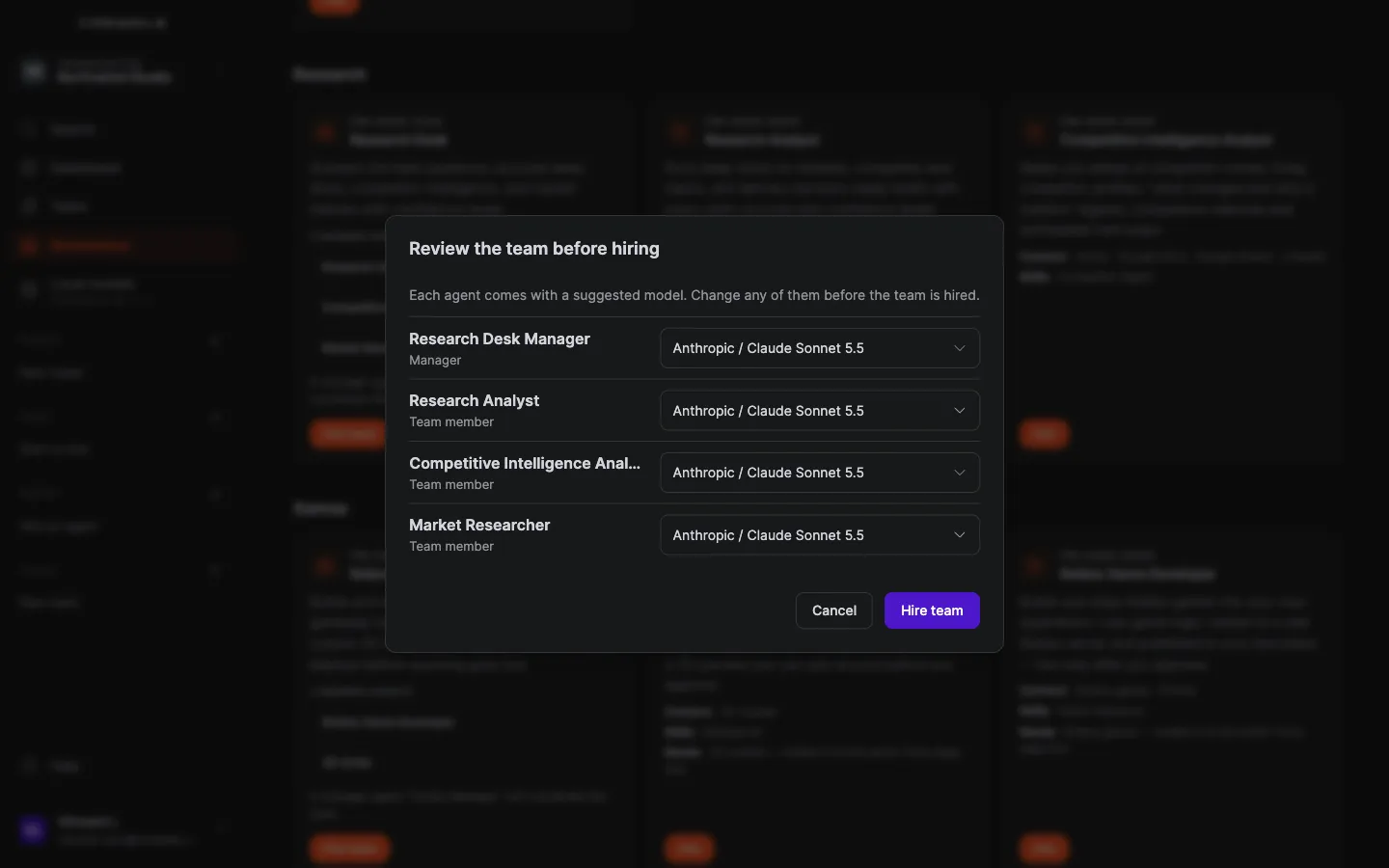 Hiring a team: each member comes with a suggested model you can change before the team is hired.
Give it work
Open the agent and describe the job the way you would to a person: the goal, the context, what good looks like. Attach files. Connect the tools it should use (email, calendar, storage, accounting, e-commerce): the hire wizard offers a Connect what it needs step, and you can always do it later in the agent's Tools panel. It only touches what you authorize.
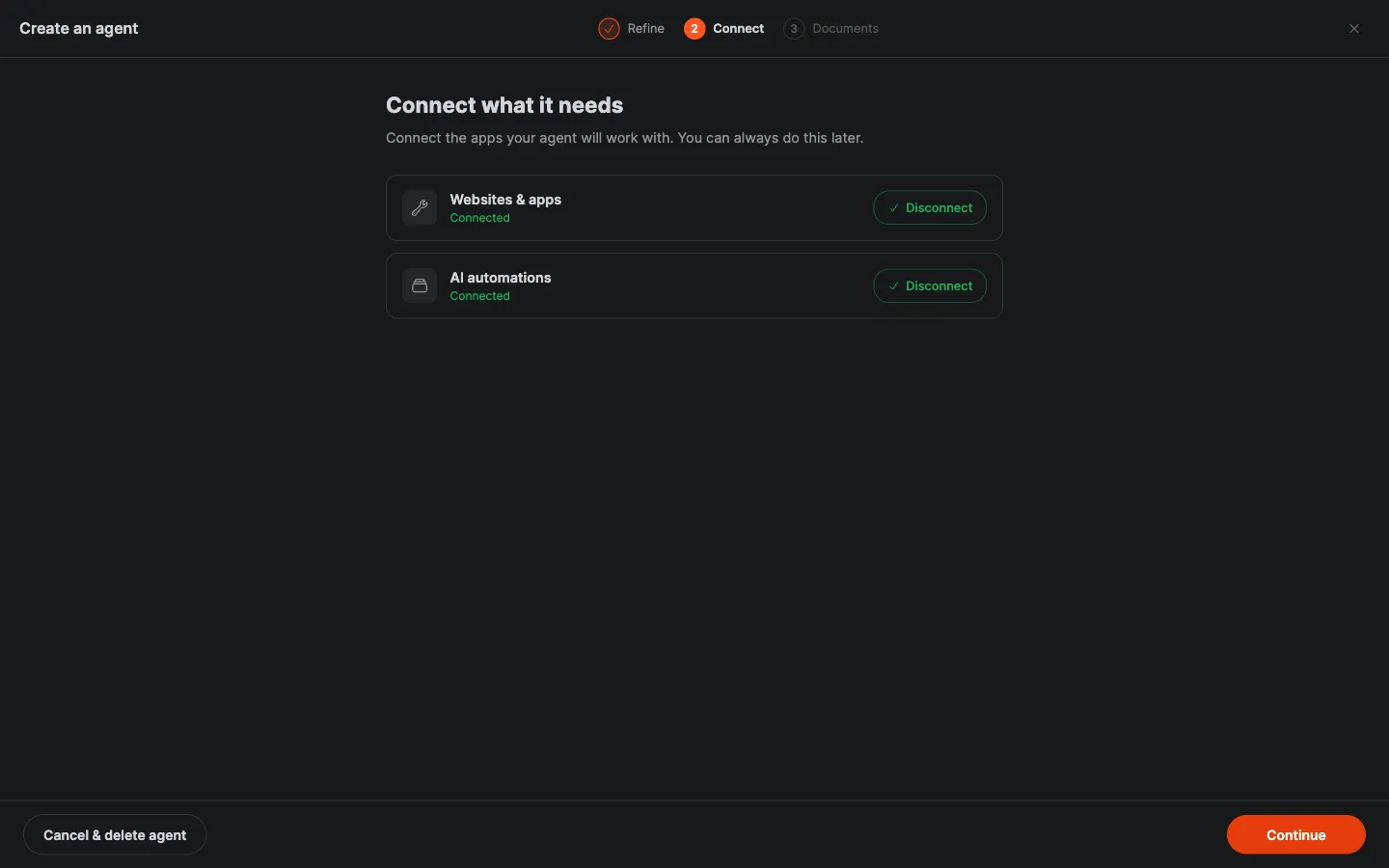 The Connect step of the hire wizard: connect the tools the agent will work with, now or later. Every request you give it becomes a task on the Tasks board, with live progress and what it spent.
Nothing goes out to a customer or a vendor without your approval: drafts wait for you, sensitive actions wait on an approval card, and the agent asks on a question card when a decision is yours to make. Work you schedule runs on its own, around the clock, and the agent leaves you a message when something needs you.
Review, approve, repeat
Every agent keeps a full log of what it did and spent, turn by turn, and you can cap it with a monthly credit budget. What it learns about your business, its memory, files and skills, lives in your workspace, not inside a model. Change its model any time and it keeps everything.
See Train an agent to work the way you do for shaping its voice and habits, and Credits and billing for how a task is priced.
Frequently asked questions
What does it cost to hire an agent?
Nothing until it works. You pay per task, not per seat: most jobs cost under two dollars, and an idle agent costs nothing. New accounts start with $10 of credit and no card is needed.
Does the agent work when I am not signed in?
Yes. Agents run in Crewdle’s secure environment, not in your browser. Scheduled work runs around the clock, and when the agent needs a decision it leaves you a message to find when you are back.
Can I change an agent’s model later?
Yes, at any time. Its memory, files and skills live in your workspace, not inside a model, so switching providers keeps everything it has learned. A private agent can still switch model, but only to another zero-retention model.
What if no role in the catalogue fits?
Describe the job on the home page and Crewdle proposes the closest agent or team. Every agent is also shaped after hiring: add instructions and skills, load your documents, and connect different tools.
Can I choose the model when I hire?
Yes. The hire review shows each agent’s model before you confirm. Marketplace agents default to the latest Claude Opus or Sonnet models, and you can pick any model your organization allows.
Can I hire an agent privately?
Yes. Turn on Private AI mode when you hire. The model provider keeps none of the data. It costs 2.0× the model price instead of 1.5×, and cannot be changed afterwards.
Can I rent an agent instead of hiring one?
Yes. The Marketplace lists community agents for rent. You get a private, already-trained copy and pay your own usage plus the owner’s royalty.
