Train an AI agent to work the way you do
Train a Crewdle agent by talking to it: correct a first draft, save standing rules, and watch a one-line request come back done your way.
Last updated
Every agent starts out knowing its model, not your business. Training a Crewdle agent is how you close that gap, and it works the way onboarding a new hire does: give it a real task, look at what comes back, correct it in plain words, and tell it to remember. No fine-tuning, no code, no settings screens.
This guide trains one real agent from scratch: a social caption writer for a small coffee shop, Oak & Oat Coffee Co. By the end, a one-line request produces an on-brand Instagram caption in the house format, hashtags and all, with nothing repeated. Your part takes about 15 minutes; the agent does the rest.
Step 1: Hire the agent and be honest about what it does not know
In Crewdle, click the + in the Agents section of the sidebar and describe the job in your own words. Say what you plan to teach: we wrote "I'll teach you our brand voice, post format, and hashtag rules as we go" right in the description. The wizard proposes a ready-made setup, then asks a few refining questions. Answer the ones you have answers for and skip the rest; we left voice, format, and hashtags blank, because those are exactly what the training will cover.
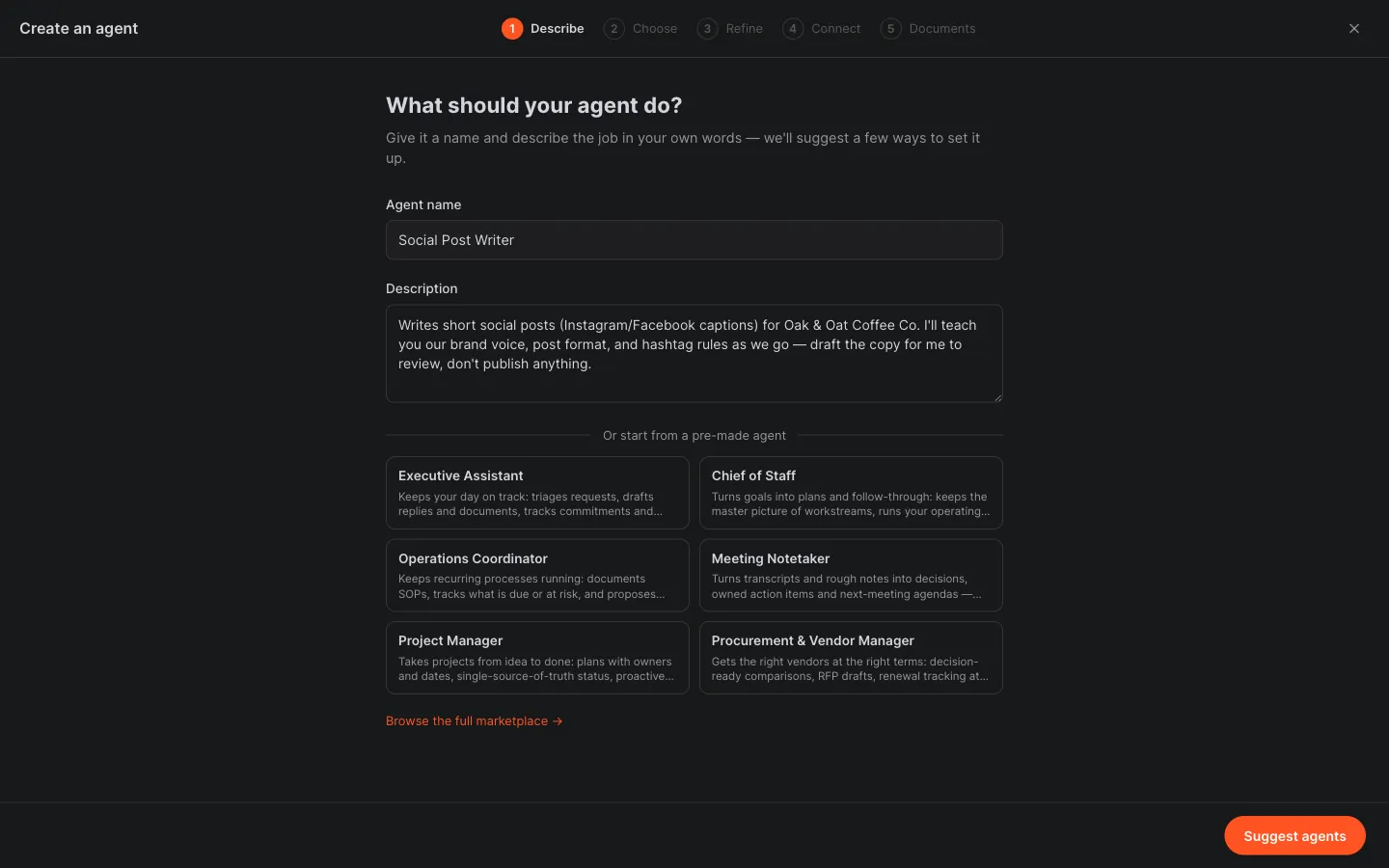 Put the teaching plan in the job description. What setup does not cover, training will.
How to hire a trainable agent
- Click the + in the Agents section, name the agent, and describe the job, including what you will teach it as you go.
- Click Suggest agents and pick the proposed setup, or describe changes and let the options revise.
- Answer the refining questions you can, and skip the ones you would rather teach by example.
Step 2: Hand over examples, if you have them
The last wizard step asks for documents, and it suggests exactly the right kind for the job it now understands: a brand voice guide, a few past high-performing captions. Anything you drop here becomes reference material from day one, which shortens training. We added nothing, on purpose, to show that conversation alone gets you there. If you have good examples, upload them; the two approaches stack.
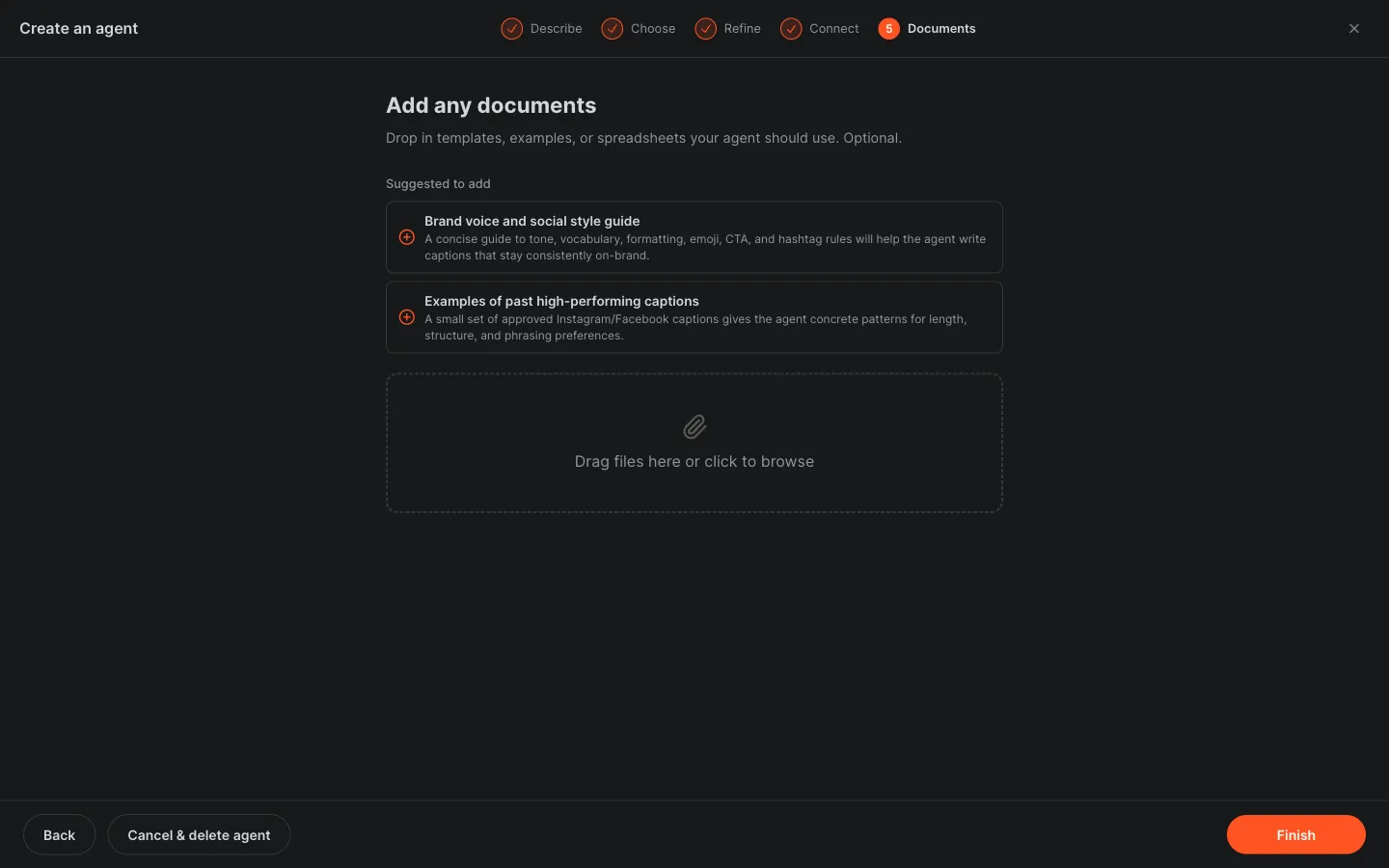 The wizard suggests the reference documents worth uploading. Examples shorten training, but they are optional.
Step 3: Ask for a first draft, and read it like an audition
Give the agent its first real task. We asked for an Instagram caption announcing a new fall maple latte. Seconds later the draft was in the conversation, and it did something telling: it wrote a warm, generic caption and then offered better versions once we shared our brand voice, format, and hashtag rules. That is the point of a first draft. Its gaps are your syllabus; they show you exactly what to teach.
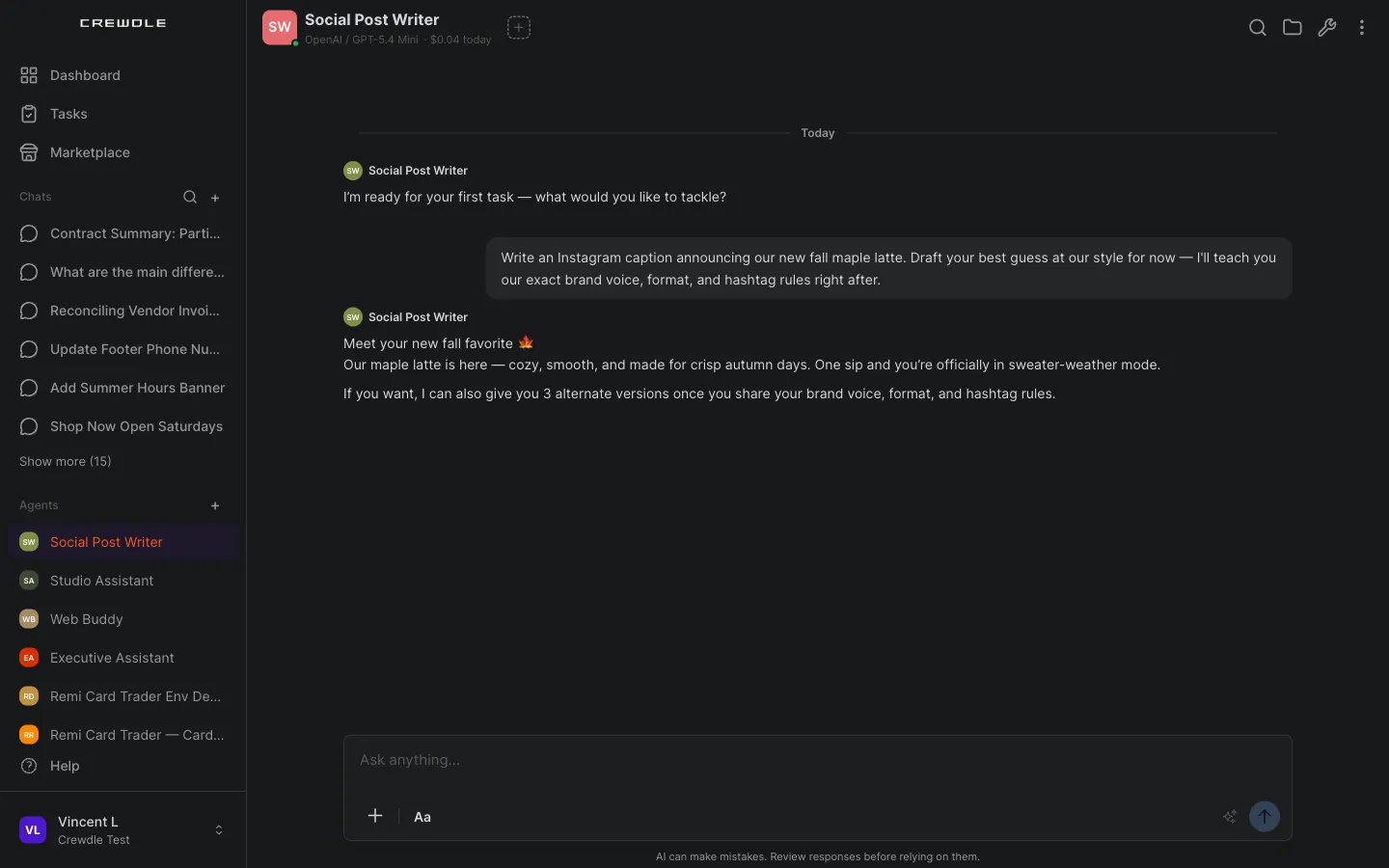 The first draft arrives in seconds, with an honest note that it is guessing your style until you teach it.
Step 4: Correct it, then say "save these as your standing rules"
This is the training move. Reply with corrections concrete enough to act on, and end with one instruction: save these as your standing rules for every future caption. Ours was a single message: a warm, cozy, never-salesy voice with no exclamation marks; always work in the phrase "golden hour"; a fixed format of a one-line hook, two short lines, then exactly three hashtags; and hashtags that always include #OakAndOat and #MTLcoffee plus one seasonal tag.
Saving a rule to memory changes how the agent behaves from now on, so it asks you to approve the memory note first. Approve it, and the agent confirms the rules are saved and that it will follow them going forward.
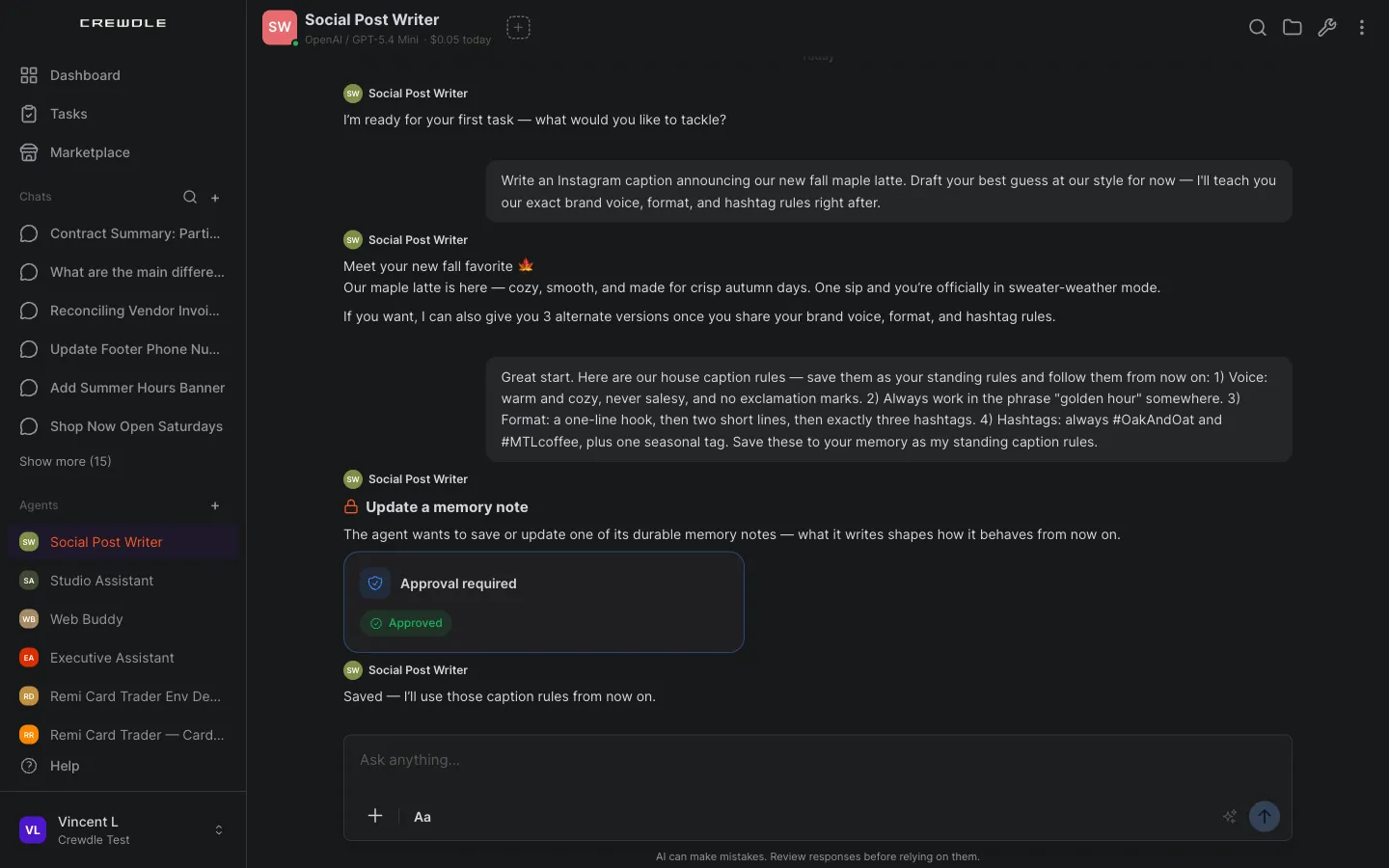 One message turns feedback into standing rules. The agent asks to save the note, then follows it from now on.
How to train with feedback
- Point at what is wrong and say what right looks like: voice, format, length, the exact tags.
- End with "save these as your standing rules for every future caption" (or report, or reply), so the correction outlives the conversation.
- Approve the memory note when the agent asks, then check the next result before moving on.
Step 5: Open its memory and read what it learned
Training you can read is training you can trust. Open More options in the agent's header and choose View memories: every lesson the agent keeps lives there as a small text file you can open. Ours had written a caption-rules file, and inside were the voice, the "golden hour" rule, the hook-plus-two-lines-plus-three-hashtags format, and the required tags, exactly as taught.
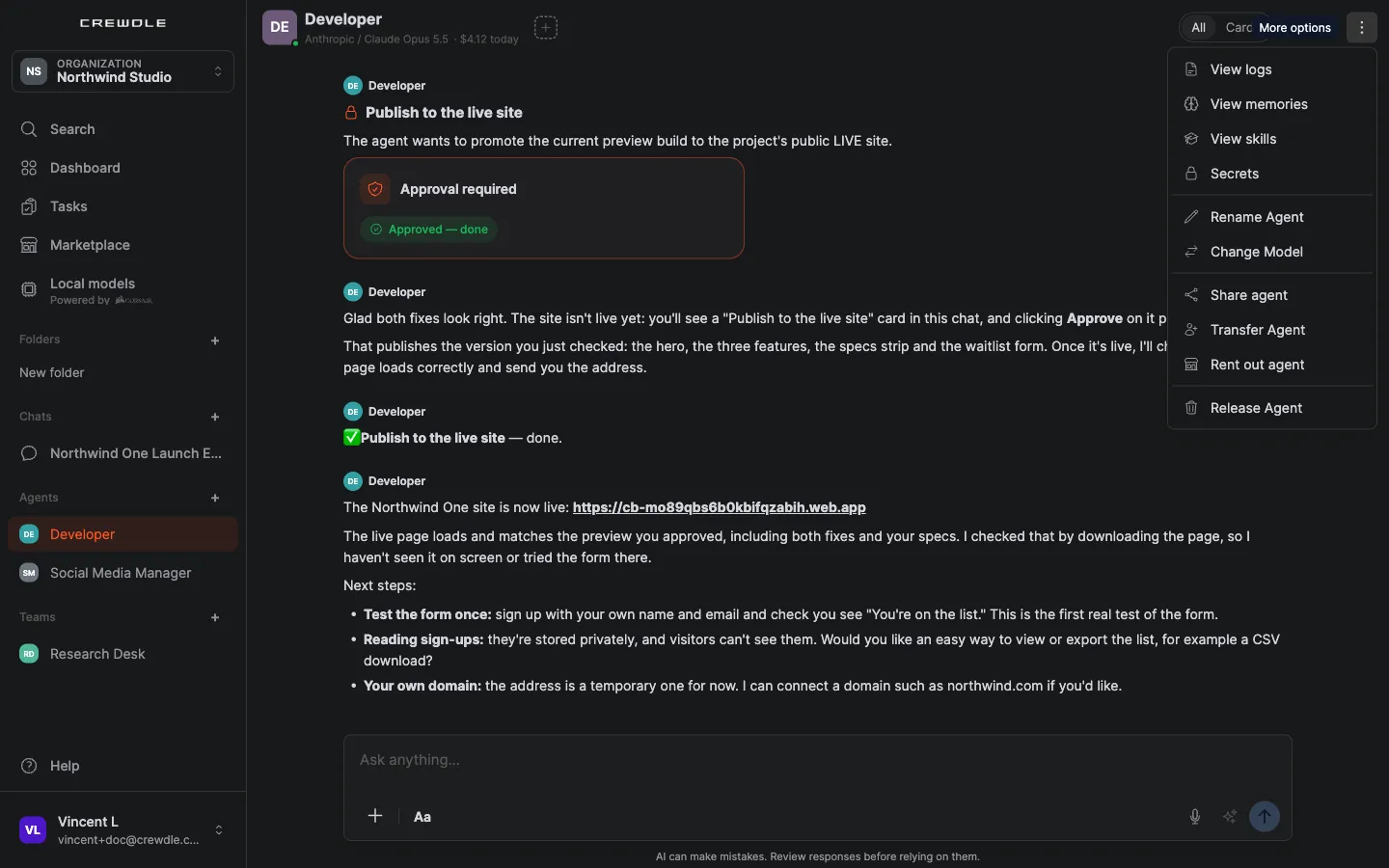 More options in the agent's header: View memories and View skills are where its training lives.
This panel is your control surface for the agent's behavior. If a memory is wrong, outdated, or something you never meant to teach, say so in the conversation and the agent revises it; check the file again after.
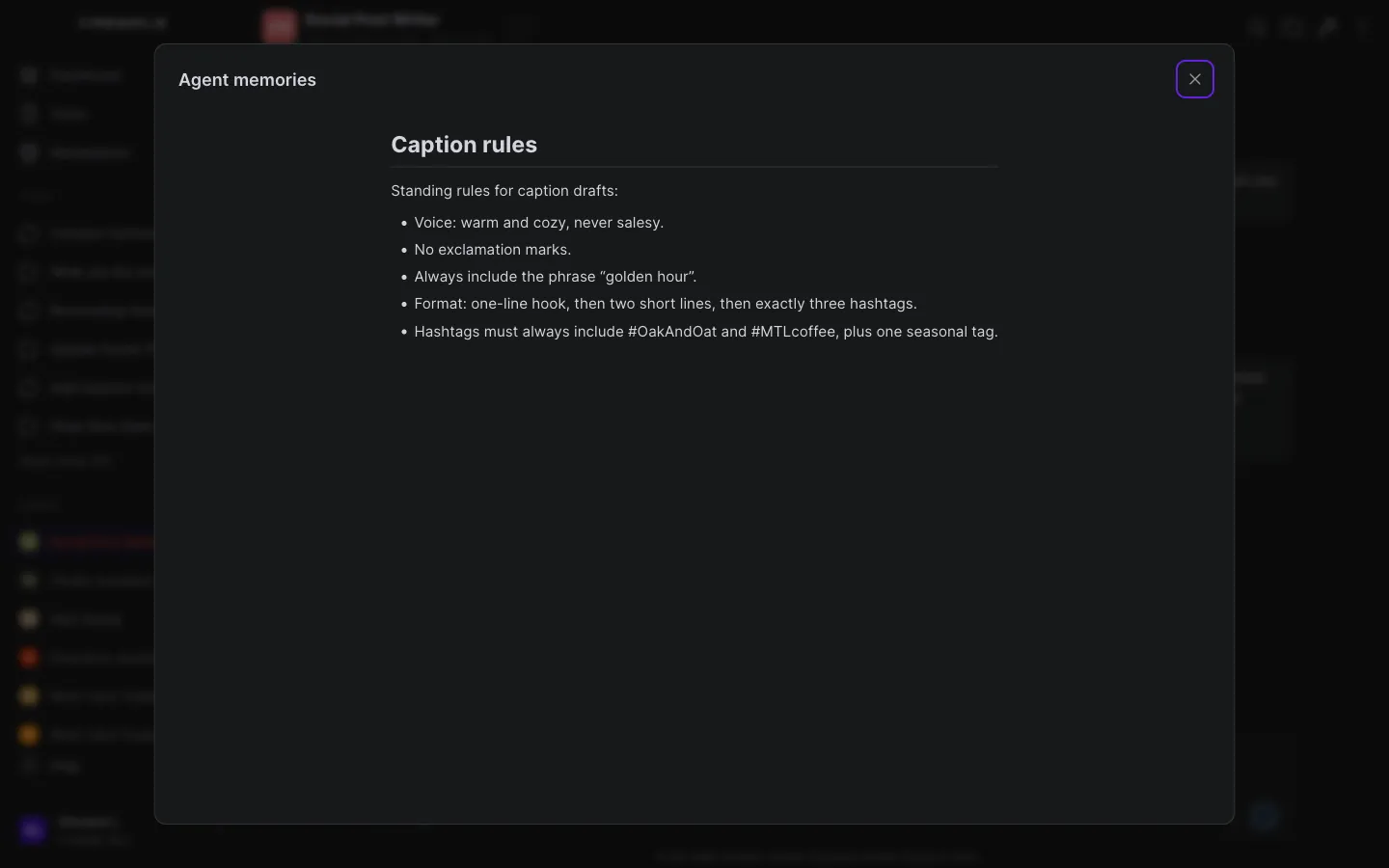 Open More options, then View memories, and read the rules for yourself. This file is why the training sticks.
How to review an agent's memory
- Open the agent, click More options in its header, and choose View memories.
- Open a memory file to read exactly what the agent has saved.
- Wrong or missing rule? Correct it in the conversation, then check the file again.
Step 6: Test it on a fresh task, repeating nothing
Training you have not tested is a hope. Send a new request and leave every rule out of it. Ours was one line: a new pumpkin spice cold brew. The agent wrote the caption entirely from its saved rules: a one-line hook, two cozy lines with "golden hour" worked in, no exclamation marks, and exactly three hashtags — #OakAndOat, #MTLcoffee, and a seasonal #FallFlavors. Nothing in the request mentioned voice, format, or tags at all. That is the trained format, applied unprompted. From here, every caption costs one sentence.
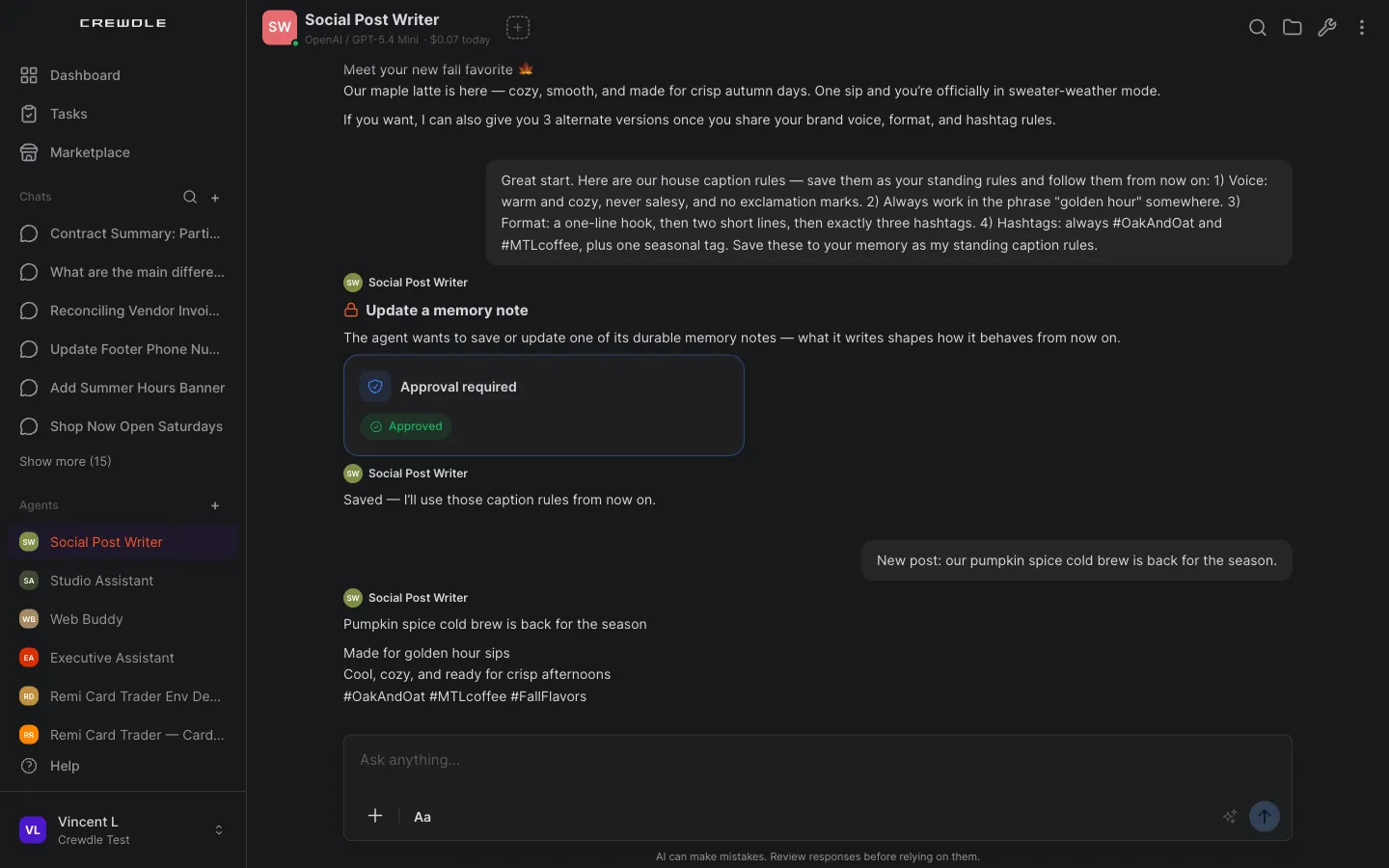 The test that matters: a one-line request, and the trained rules applied without being repeated.
Keep training it
Training is not a phase; it is how you manage the agent from now on. When your voice or your tags change, tell it to update its standing rules. When a draft misses, correct it once and make the correction a rule. Each pass compounds, so the agent is worth more every week you work with it.
Not every lesson arrives as a tidy instruction, though. After a working session full of small corrections, click Memorize this conversation in the agent's header: the agent distills the exchange into memory on its own, then posts a note of what it kept. Ours banked the caption rules and the Oak & Oat context, and it told us exactly what it saved.
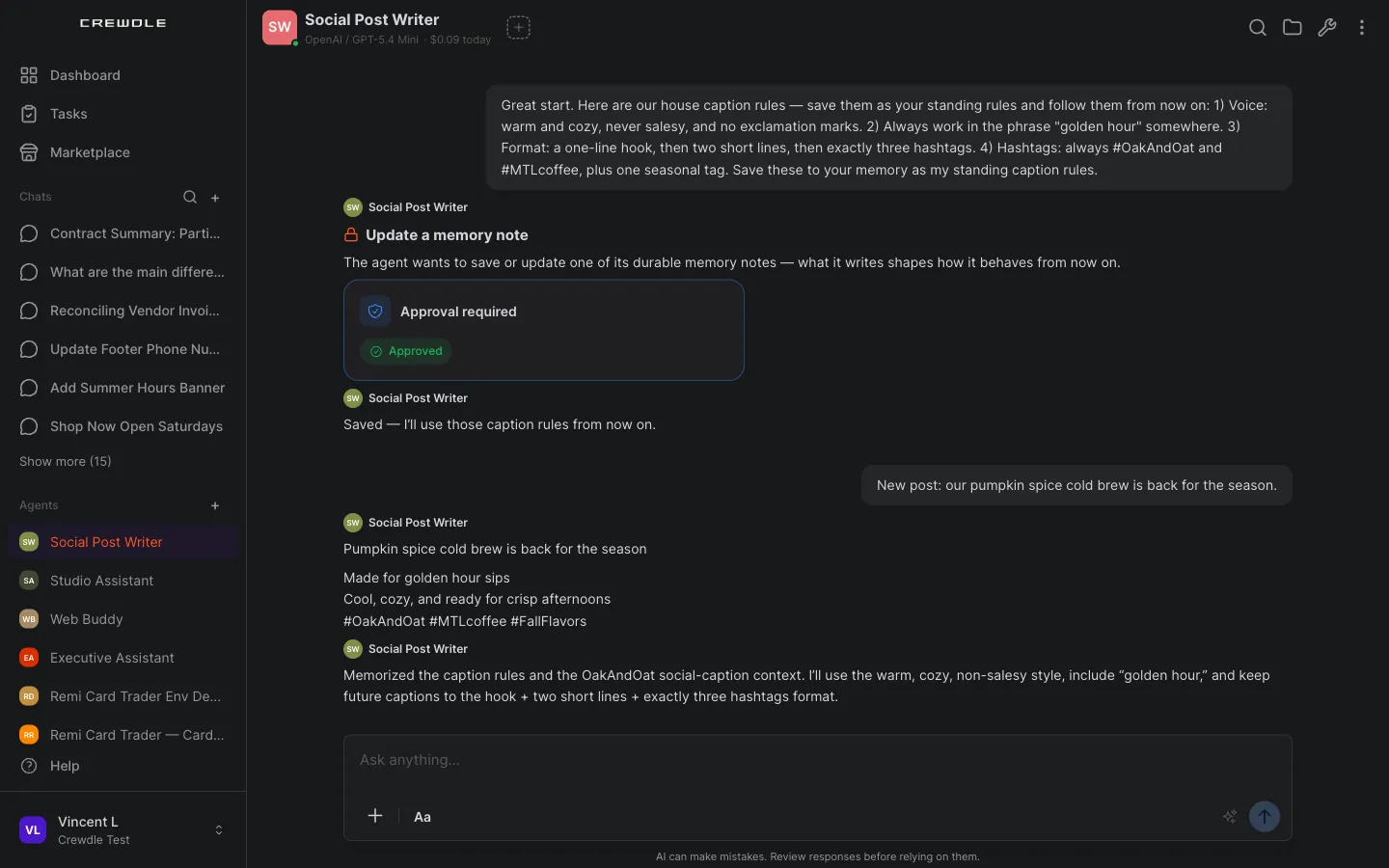 One click banks the whole conversation: the agent saves the durable lessons and tells you exactly what it kept.
Memories are not the only thing an agent learns. Skills are documented procedures it follows, like a month-end checklist or a review method: open View skills in its options menu to read them or add one in plain words, and when the agent proposes a new skill of its own, it waits for your approval like a memory save does. And with Assign Mentor, you can name another of your agents as its mentor: when it is stuck or wants a second opinion mid-task, it consults the mentor on its own.
What it learns also travels. A trained agent's memory files, procedures, and knowledge ship as the knowledge pack when you rent it out to other organizations, so review its memories before you list it and you know exactly what you are shipping. Its results can be proven on a public leaderboard in the Arena, and the usual oversight applies while it learns: its logs show every action and credit, and a monthly budget caps what it can spend. See Credits and billing.
Frequently asked questions
Do I need fine-tuning or code to train an agent?
No. You train a Crewdle agent in plain conversation: correct its work and tell it to save the corrections as standing rules. There is no dataset to build, no model to fine-tune, and nothing to configure.
Does the agent remember its training for future tasks?
Yes. Rules it saves persist and apply to future work without being repeated. In this guide, a one-line request for a new post came back written in the exact voice and format taught earlier.
How do I see or change what my agent has memorized?
Open More options in the agent’s header and choose View memories to read every memory file it keeps. To change or remove one, say so in the conversation and the agent updates it. To capture new lessons on demand, click Memorize this conversation in the header and the agent posts what it kept.
What if the agent gets something wrong after training?
Correct it again and tell it to update its standing rules. Training is ongoing: when your voice, format, or hashtags change, one message updates the rules for everything that follows.
Can I share or monetize what my agent has learned?
Yes. A trained agent’s memory notes, procedures, and files ship as the knowledge pack when you rent it out to other organizations, with a royalty you set on their usage. You can also transfer the agent to a teammate.
