Tasks, plans and approvals
How Crewdle tracks every request on a task board, how plan approval, approval cards and budgets work, and how the Cards view shows what needs you.
Last updated
Agents work on their own, but you stay in charge: every request is tracked as a task, plans wait for your go-ahead, and sensitive actions wait for your approval.
The task board
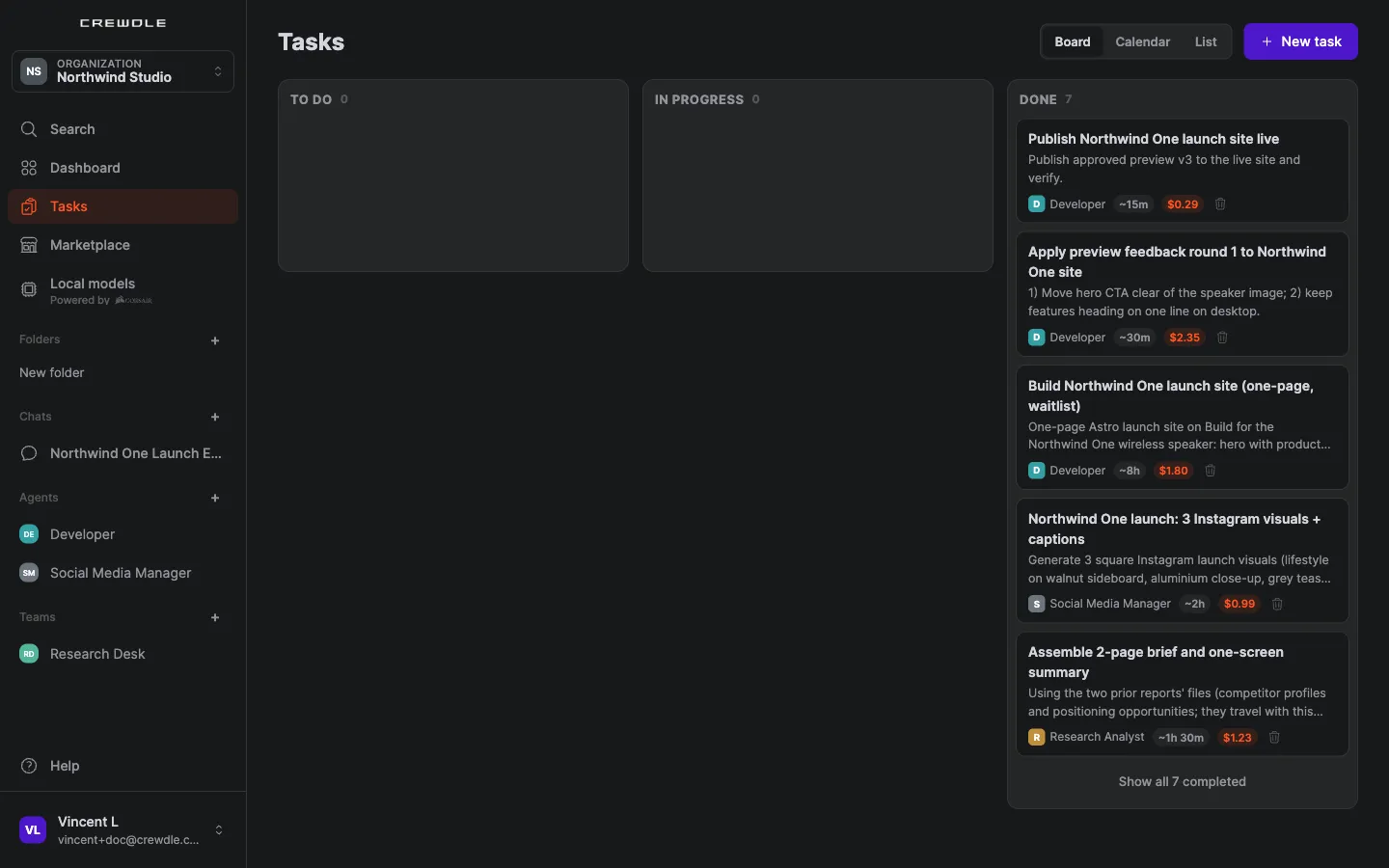
Open Tasks in the sidebar. Every request to an agent or a team is tracked there as a task, with its owner, live progress and what it has spent so far.
- Queued steps start on their own. A step that waits on another sits in To do and starts as soon as its prerequisites are done.
- Stop or close from the board. Stop a task that's running, or close one you no longer need, without going into the conversation.
- The same list shows under a team's conversation, so you can follow the work where it happens.
Plan approval
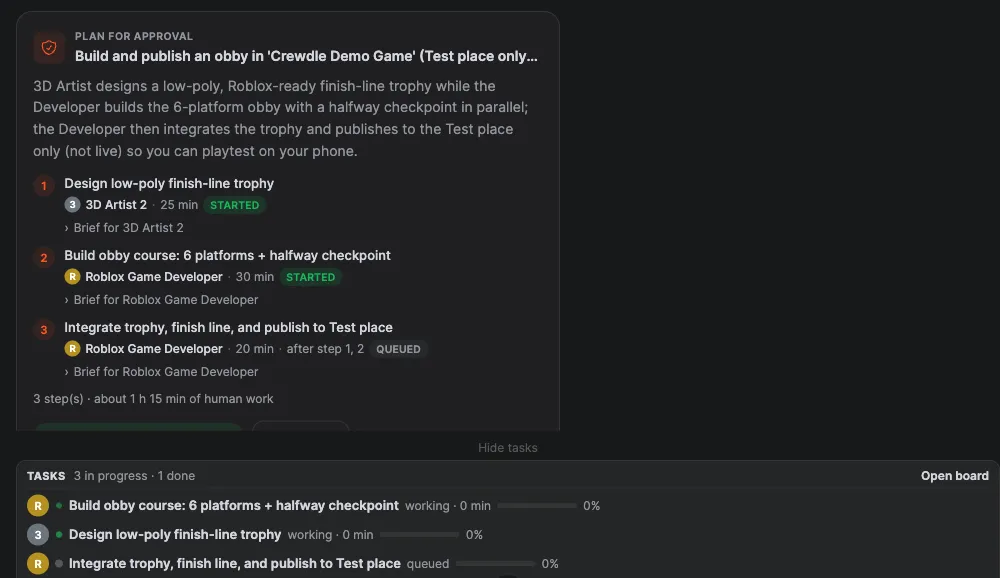
When you brief a team, the manager first proposes a plan: the steps, who owns each one, and an estimate. Nothing starts until you decide.
- Approve & start launches the plan. Steps run in parallel where they can, and dependent steps queue.
- Request changes sends the plan back with your notes.

Approval cards
Some tools are approval-gated: sending an email, publishing a site or a game, saving a memory or a new skill. When an agent wants to use one, it posts a card that explains what it's about to do.
- Approve lets it go ahead this once.
- Always approve lets it do that kind of action from now on without asking.
- Deny stops the action, and the agent is told.
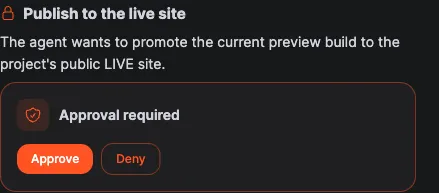
Agents also ask you question cards when they need a decision or a missing detail. Answer on the card and the agent picks up from there.
Budgets
- Each agent has a monthly budget cap. When it reaches the cap, it posts a budget card and waits for you to raise the cap or stop.
- In a team, one member at its cap puts the whole team on hold until you decide, so the others don't carry on without it.
- The team's spend shows in the conversation header.
The Cards view
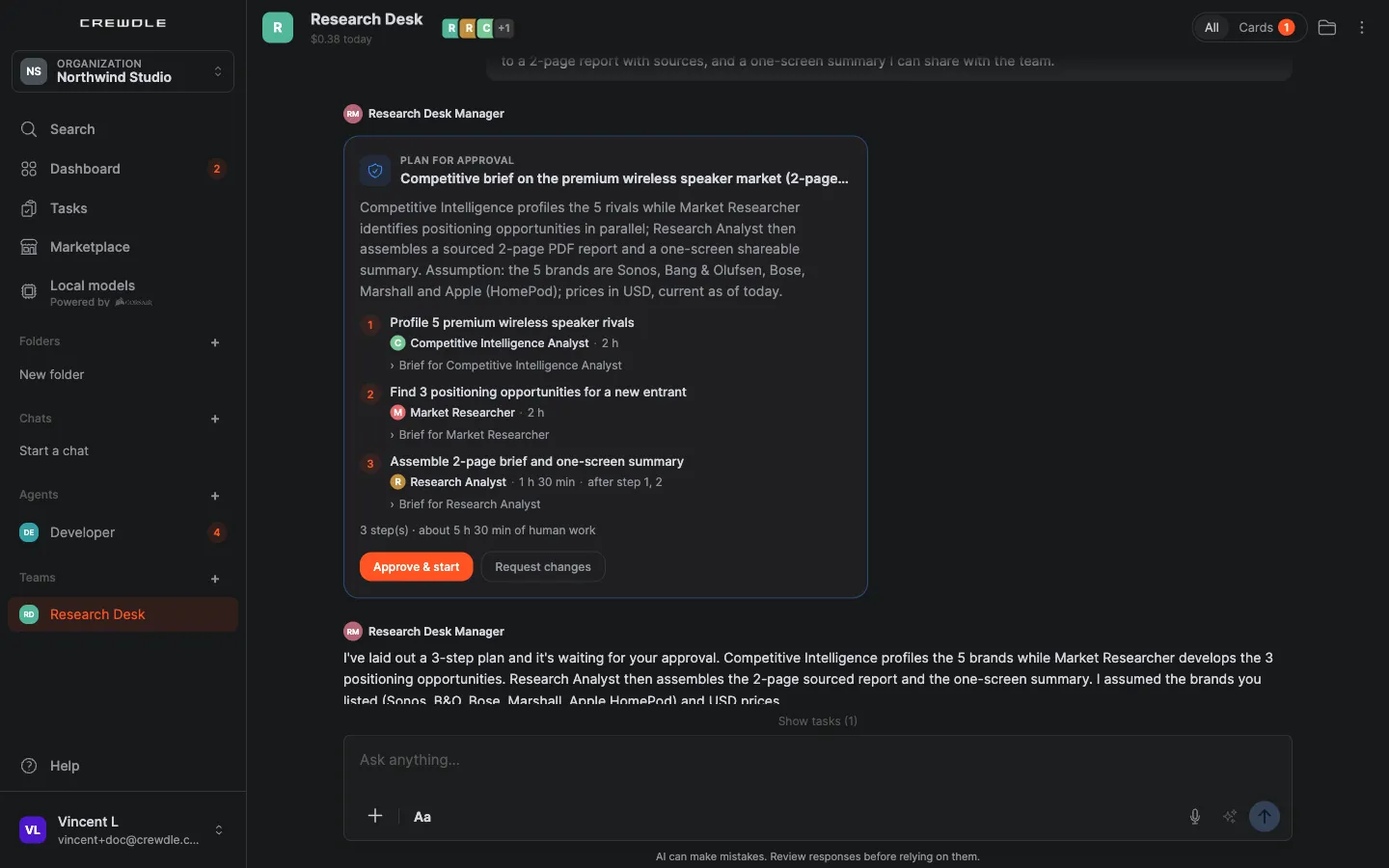
In a busy conversation, cards are easy to miss. When something is waiting, the conversation shows "N cards need you". Switch to the Cards view to see only the cards (plans, approvals, questions and budgets) that need your answer.
Notifications
You get a notification when an agent answers or needs you, and unread badges in the sidebar show where. See also Teams and Sharing and collaboration.
Frequently asked questions
Can a team start working before I approve its plan?
No. The manager proposes the plan, and the steps start only when you press Approve & start.
What happens when I deny an approval?
The action doesn’t happen. The agent is told, and it carries on with the rest of the task or asks you how to proceed.
What happens when an agent reaches its budget?
It stops and posts a budget card. In a team, the whole team pauses until you raise the cap or stop the work.
