Build Roblox games with an agent
Set up Roblox Creator Hub and an Open Cloud key, connect it to Crewdle, and have an agent build, test and publish your game, with your approval.
Last updated
The Roblox Game Developer builds and ships games into your own Roblox experience. It writes the game in Luau, tests it on a real Roblox server, publishes it to a private Test place for you to play, and goes live only when you approve. Hire it on its own, or hire the Roblox Studio team: a Studio Manager who plans the work, the Roblox Game Developer, and a 3D Artist who makes custom models.
This guide covers the Roblox side (Creator Hub and the API key), connecting it to Crewdle, and your first playtest. For an overview, see Crewdle for Roblox.
What you need
- A Roblox account and an experience in Creator Hub. A new, empty experience is fine.
- Roblox Studio, to add a second place named Test.
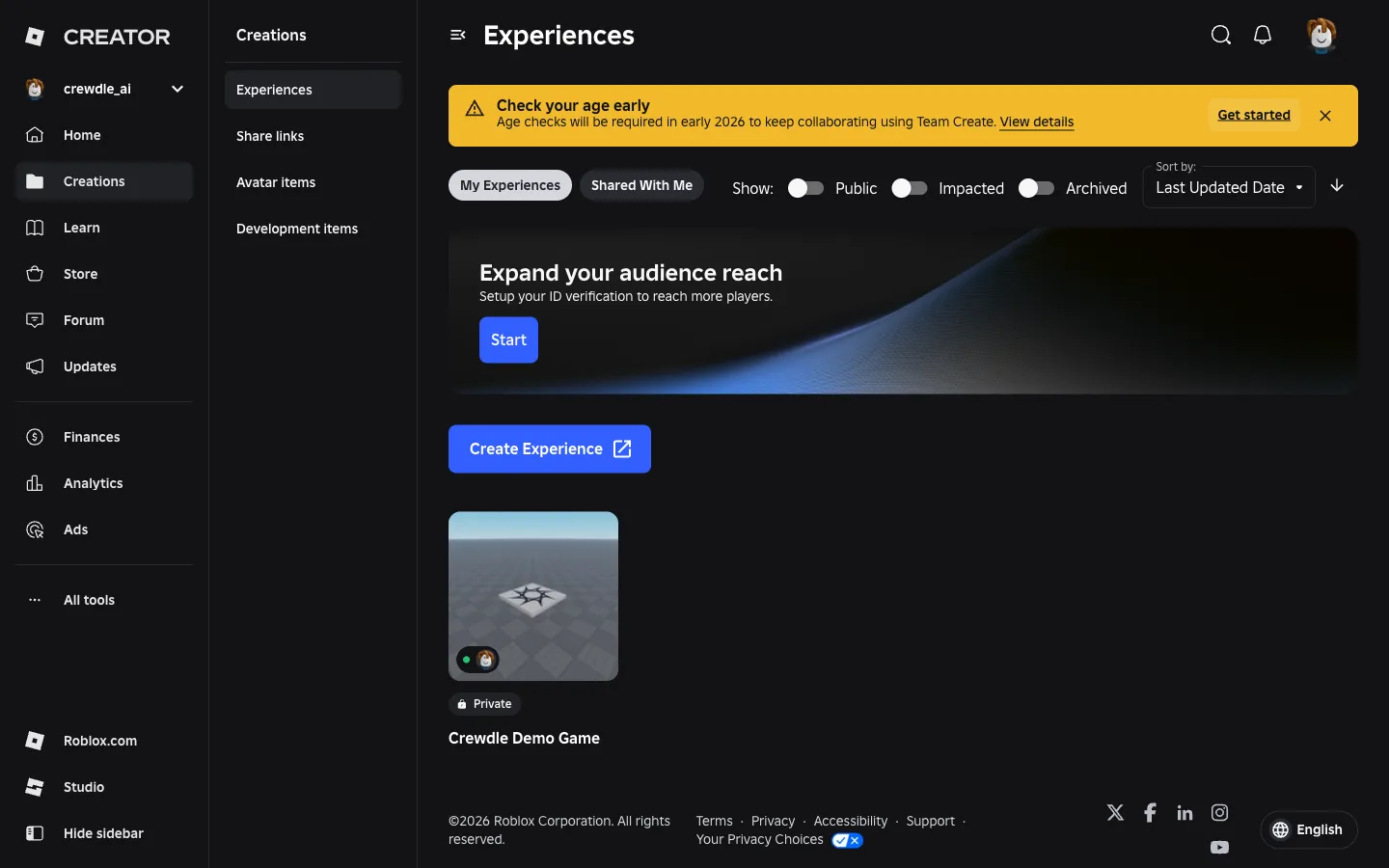
- The experience kept private while agents publish to the Test place.
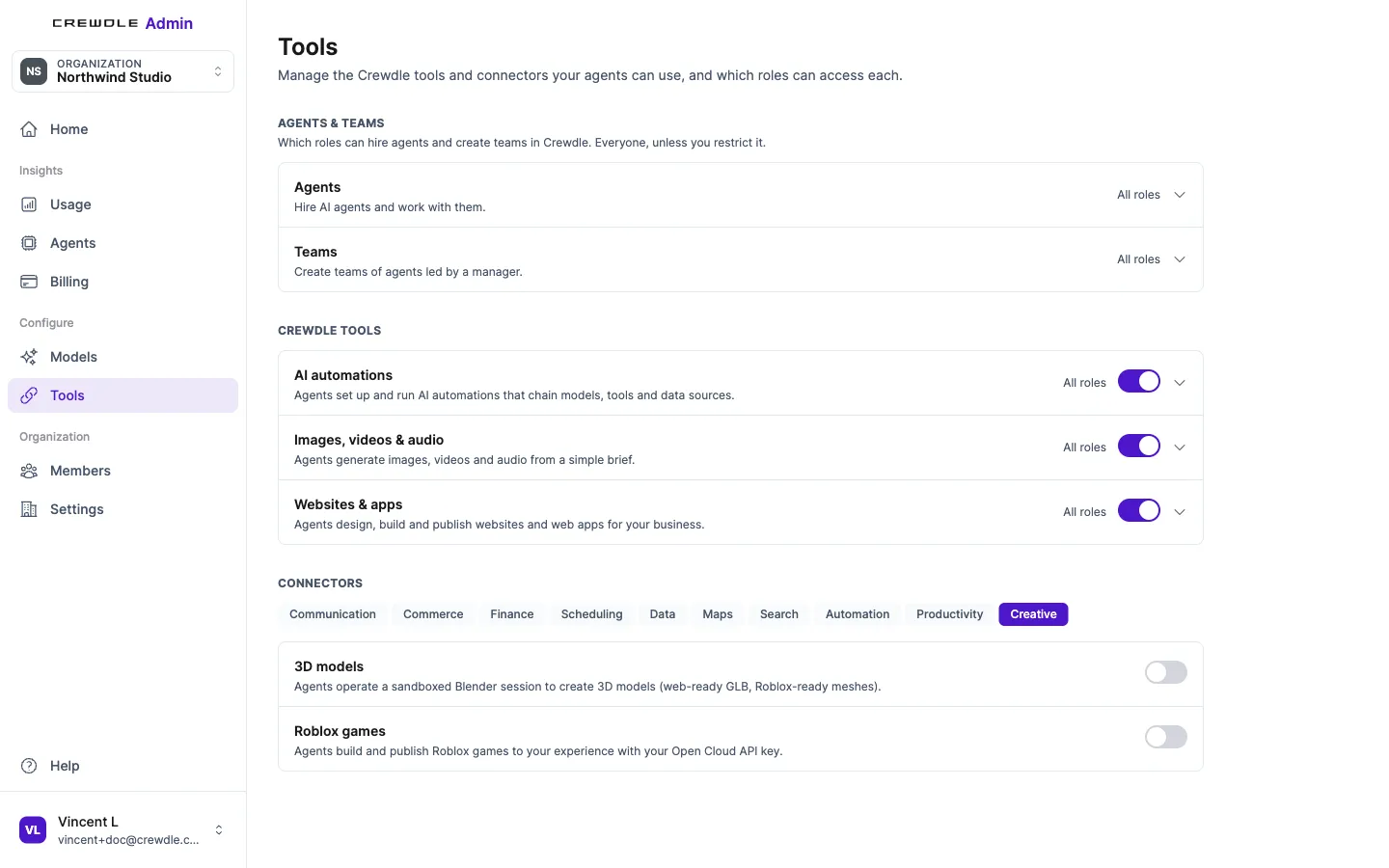
- Your org admin to turn on Roblox in Admin → Tools, and Blender as well if you hire the Roblox Studio team. Both are under Connectors → Creative, as Roblox games and 3D models, and start switched off.
1. Prepare your experience in Creator Hub
Open Creator Hub → Creations → Experiences. Create an experience, or pick the one the agent will work on. Keep it private.
Add a place named "Test"
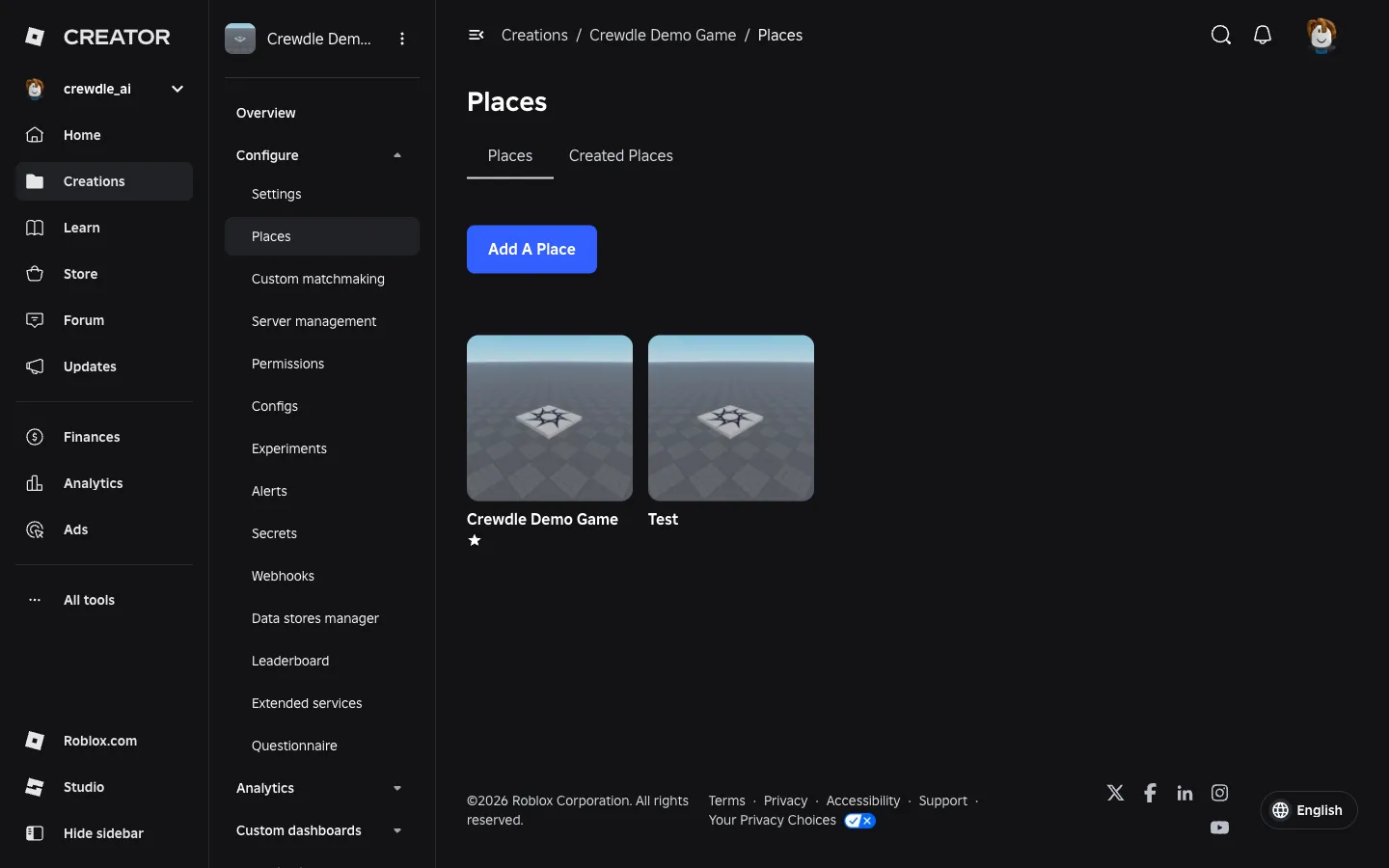
Agents publish to a second place called Test first, so your start place (the one players join) only changes on a live publish you approve.
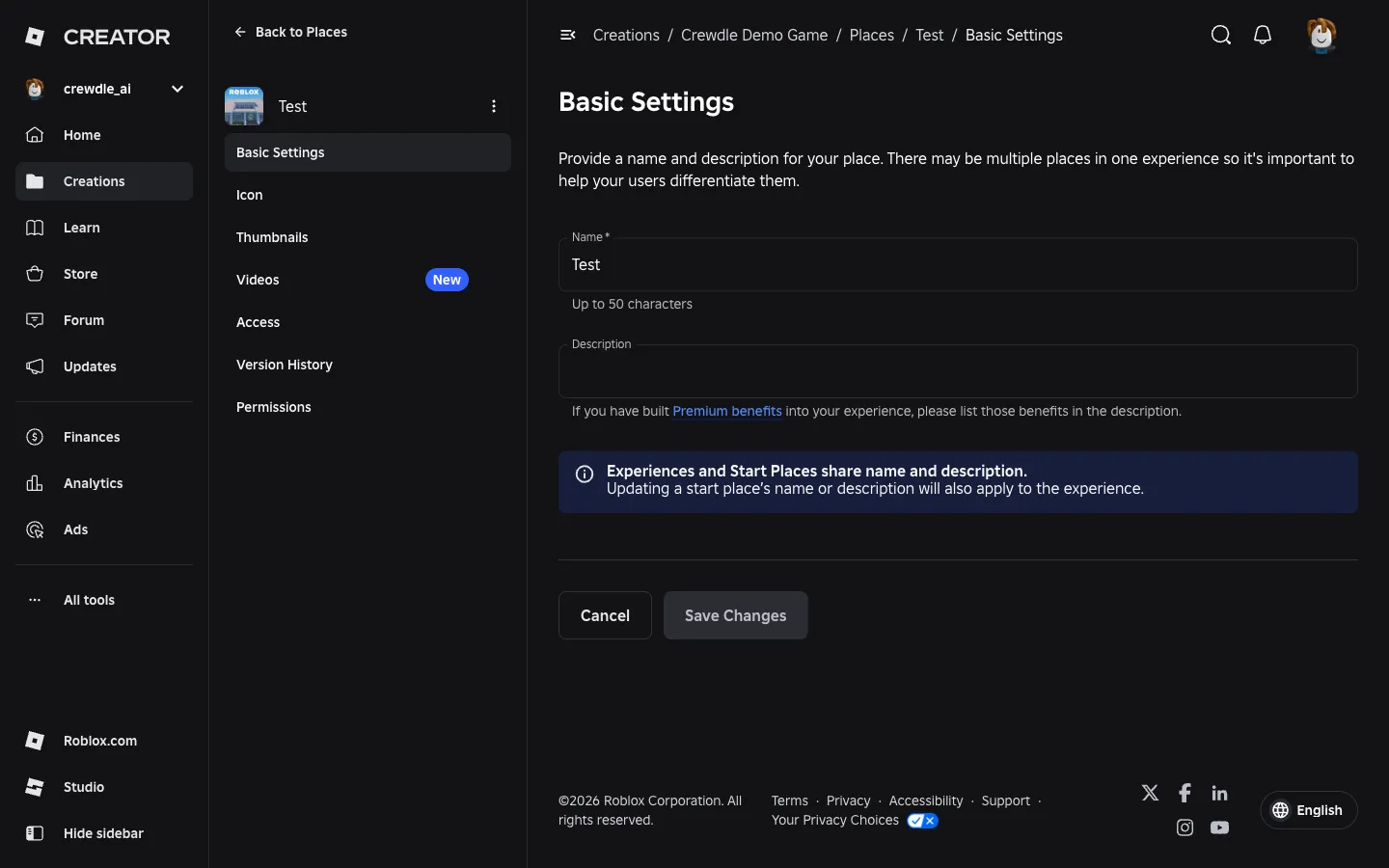
The Test place has to be added in Roblox Studio: Creator Hub's Add A Place button only offers to download Studio. Open the experience in Studio, go to Asset Manager → Places, choose Add New Place, then rename the new place Test. You can also rename it afterwards in Creator Hub, in the place's Basic Settings.
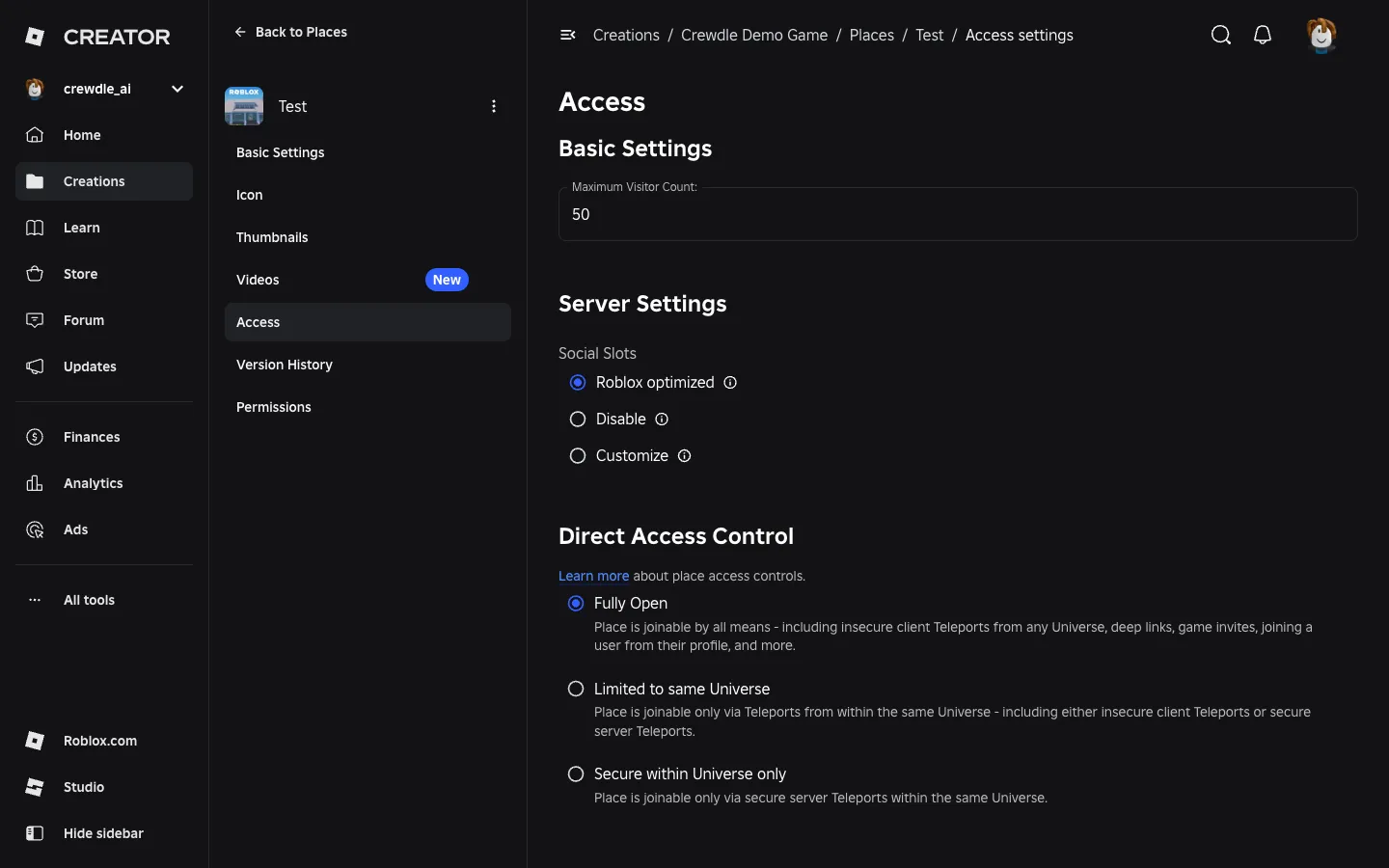
The Test place's access setting (Access → Direct Access Control) defaults to Fully Open. Leave it as it is: you can join it to playtest while the experience itself stays private.
Copy the three IDs
Crewdle needs your experience's universe ID, its start place ID and the Test place ID.
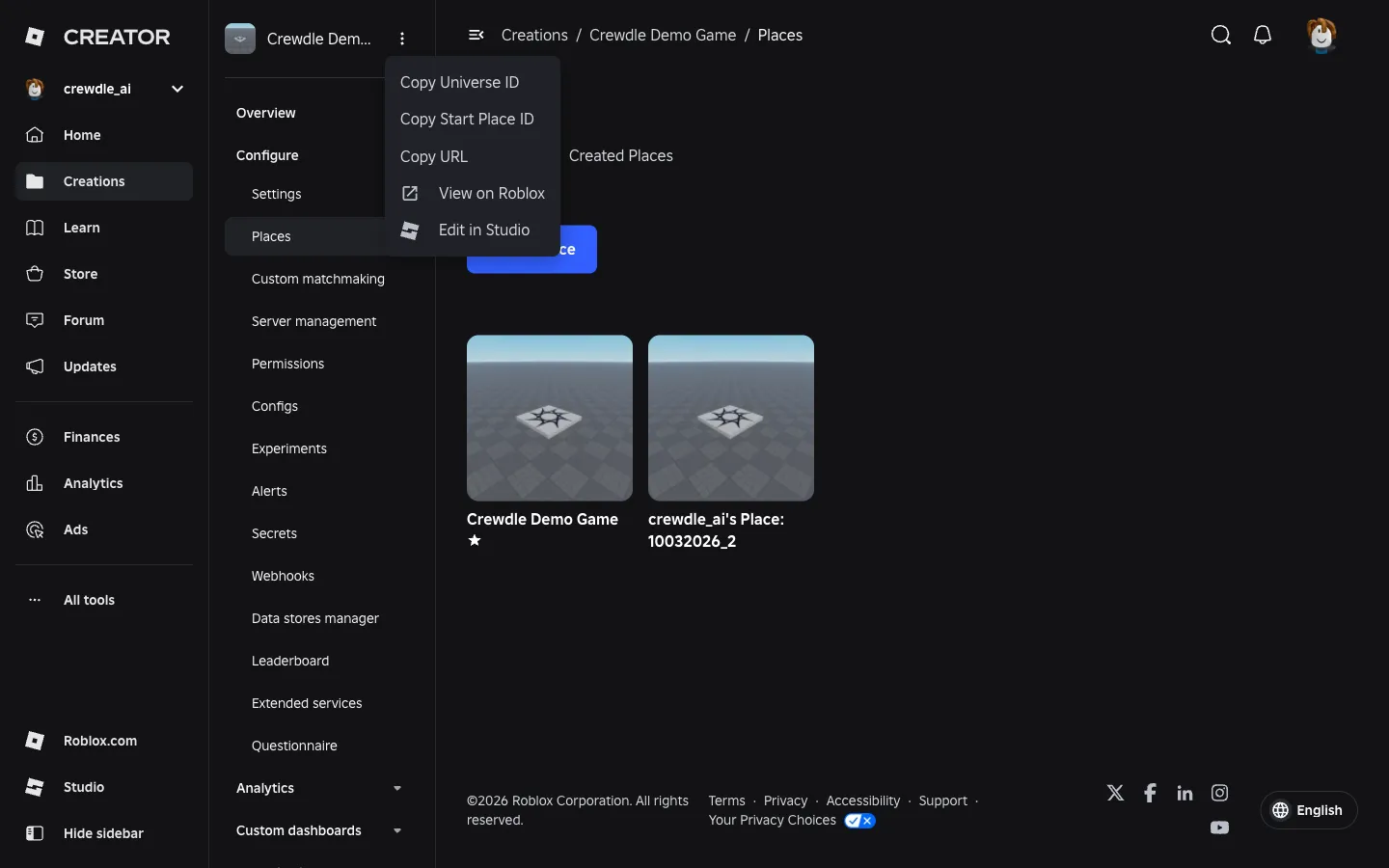
- Open the experience's ⋯ menu (next to its name, top left) and choose Copy Universe ID, then Copy Start Place ID.
- Places other than the start place have no copy option. Open the Test place in Creator Hub: its ID is the number in the page address,
…/places/<id>/configure.
2. Create the Open Cloud API key
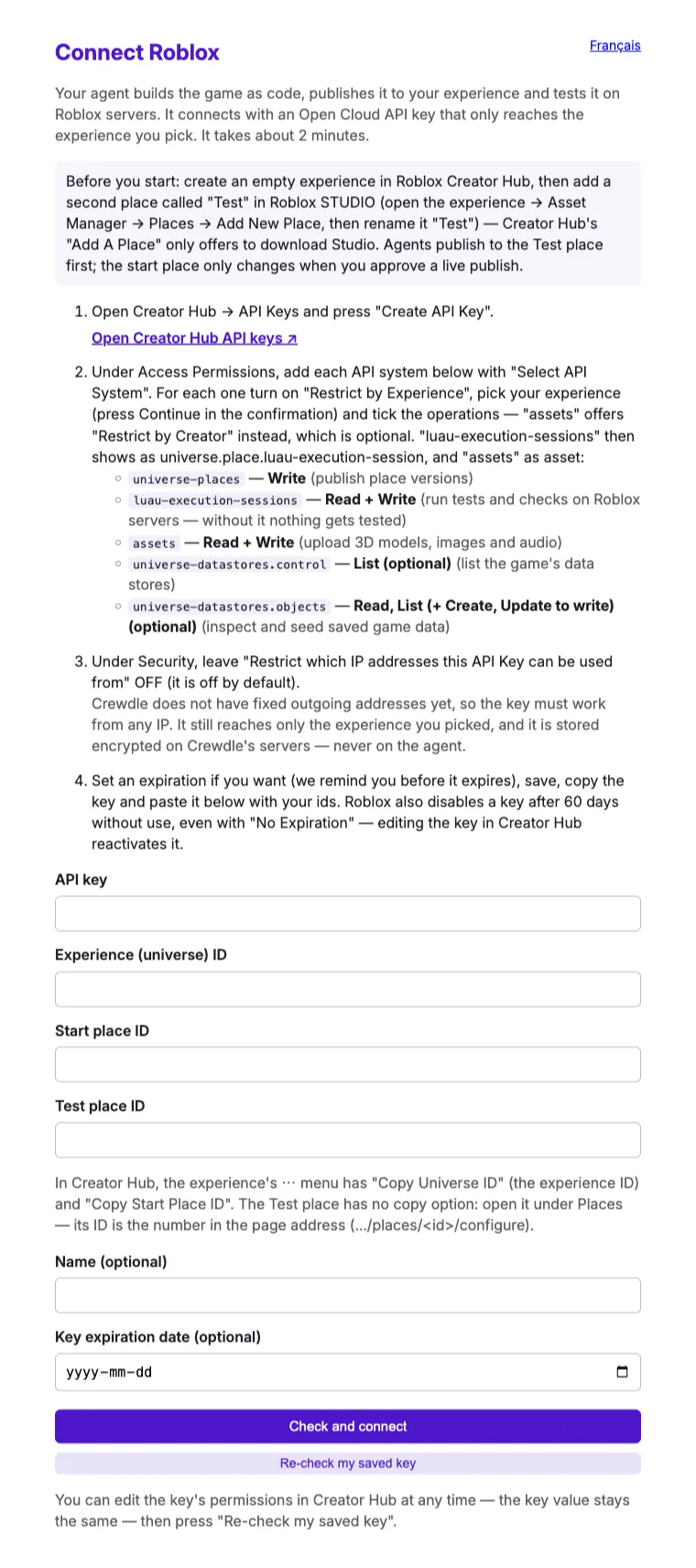
Roblox requires an API key for publishing, so this is a one-time key you create and own. In Creator Hub, open API Keys (direct link) and press Create API Key. Give it a name you'll recognise, such as "Crewdle".
Access permissions
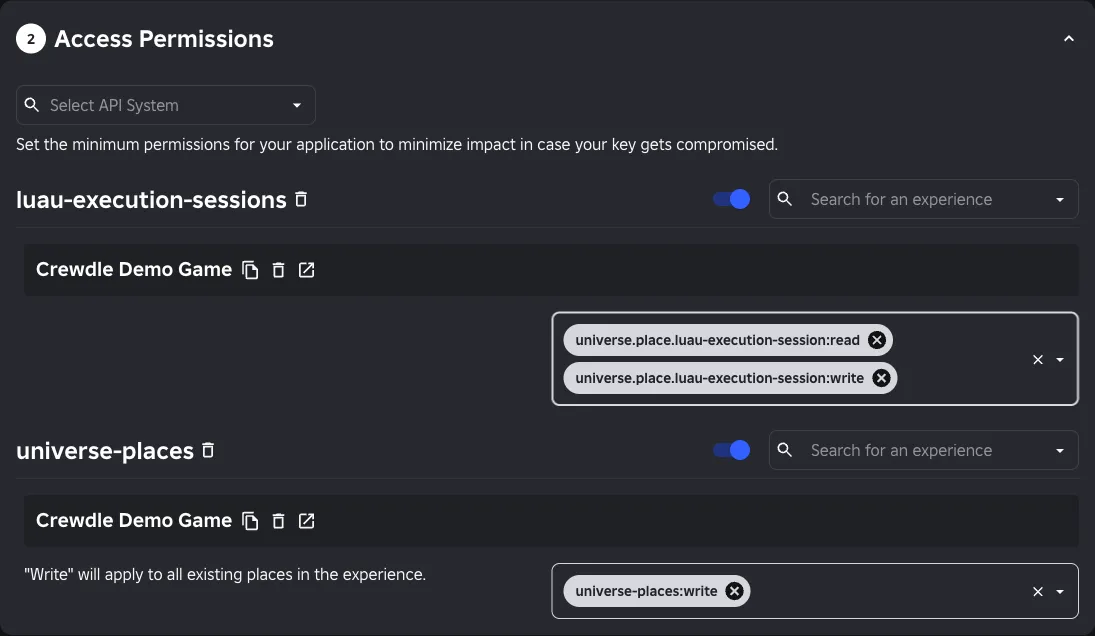
For each line below, pick the entry in Select API System, switch on Restrict by Experience (press Continue in the confirmation dialog), choose your experience, then add the operations.
| Select API System | Operations | What it's for |
|---|---|---|
universe-places |
Write | Publishing place versions |
luau-execution-sessions |
Read + Write | Running checks and tests on Roblox servers |
assets |
Read + Write | Uploading 3D models, images and audio |
universe-datastores.control (optional) |
List | Listing the game's data stores |
universe-datastores.objects (optional) |
Read, List (+ Create, Update to write) | Inspecting, and if you allow it seeding, saved game data |
Once added, the Luau entry's chips read universe.place.luau-execution-session:read and :write.
Security and expiration
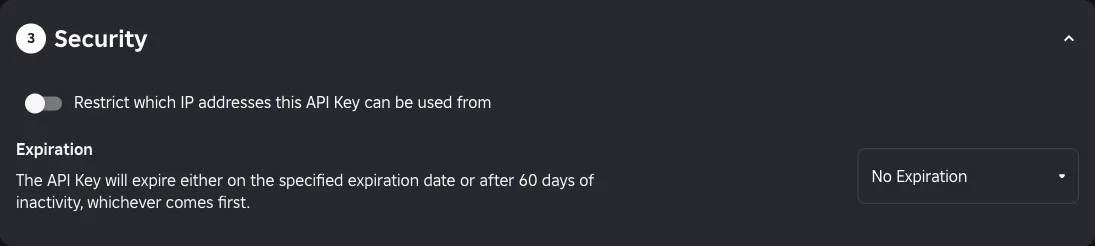
Leave Restrict which IP addresses this API Key can be used from switched off (it's off by default). Choose an expiration if you want one, save, and copy the key.
Roblox expires a key on its expiration date or after 60 days of inactivity, whichever comes first, even with No Expiration. An agent that works on the game regularly keeps it active.
3. Hire the agent or the team
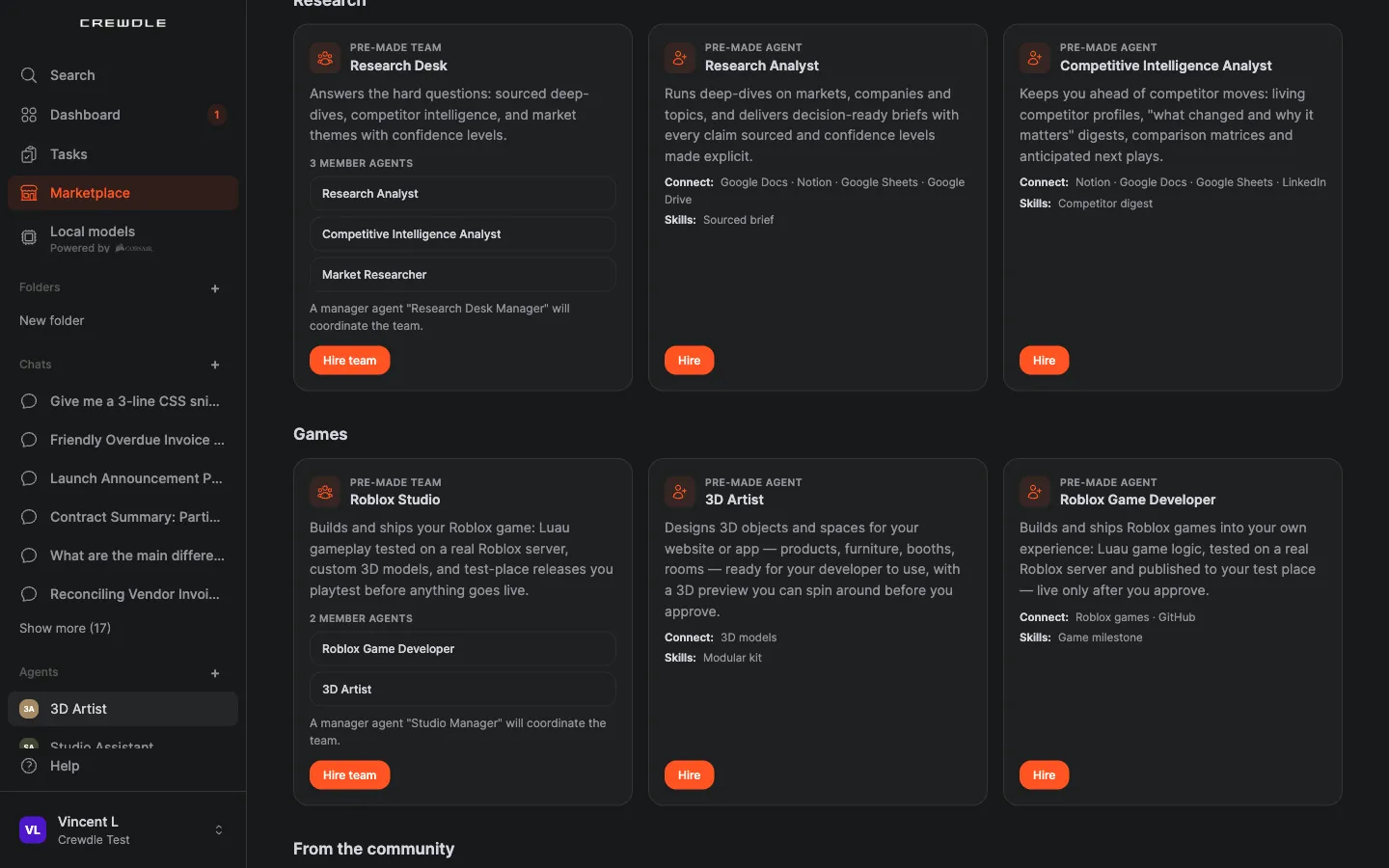
In Crewdle, open the Marketplace and scroll to Games: the Roblox Studio team, the 3D Artist and the Roblox Game Developer.
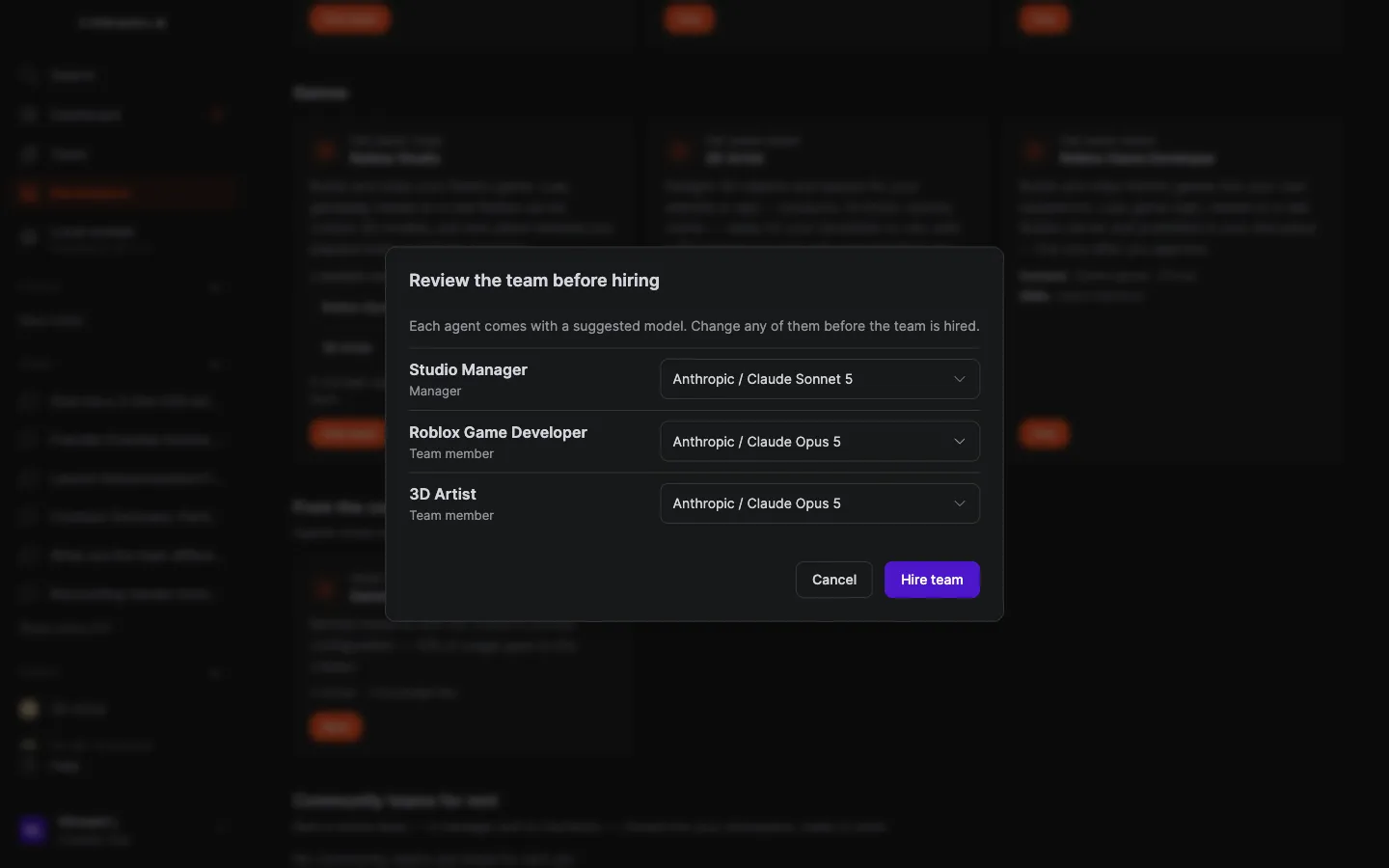
Before hiring, you review each agent and choose its model.
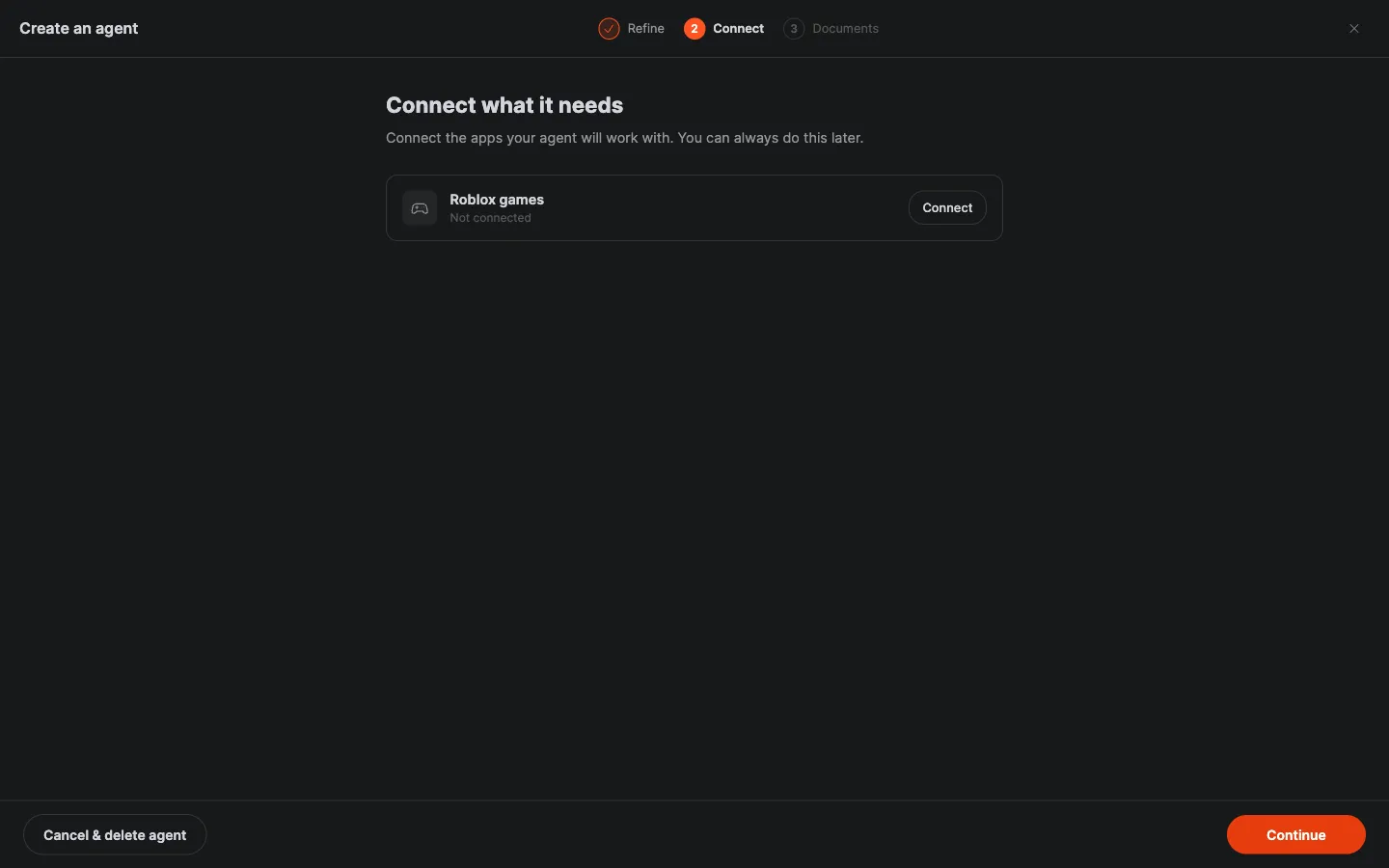
A team takes a moment to set up, then opens its team conversation, ready for a brief. When you hire the Roblox Game Developer on its own, the hire wizard's Connect step offers Roblox games: connect now, or later from the conversation.
4. Connect Roblox
When the agent first needs Roblox, it posts a Connect card in the conversation. The link opens Crewdle's guided setup page and stays valid for 24 hours.
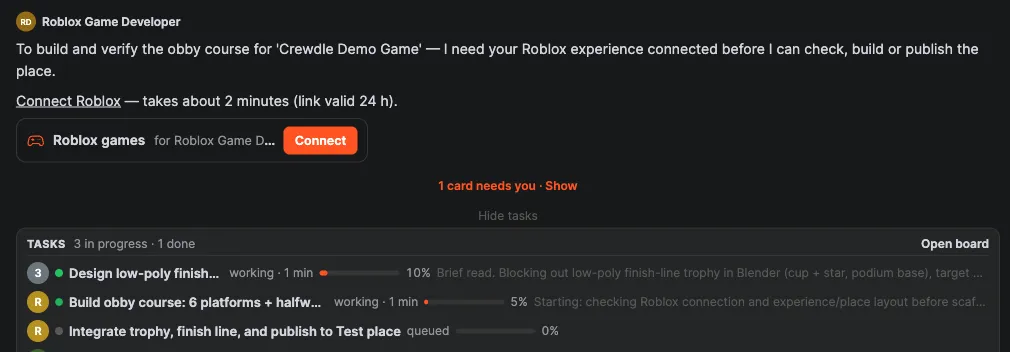
On the setup page, paste the API key, the Experience (universe) ID, the Start place ID and the Test place ID, then press Check and connect. Crewdle checks the experience, both places and each permission, and shows OK or Missing with exactly how to add what's missing.
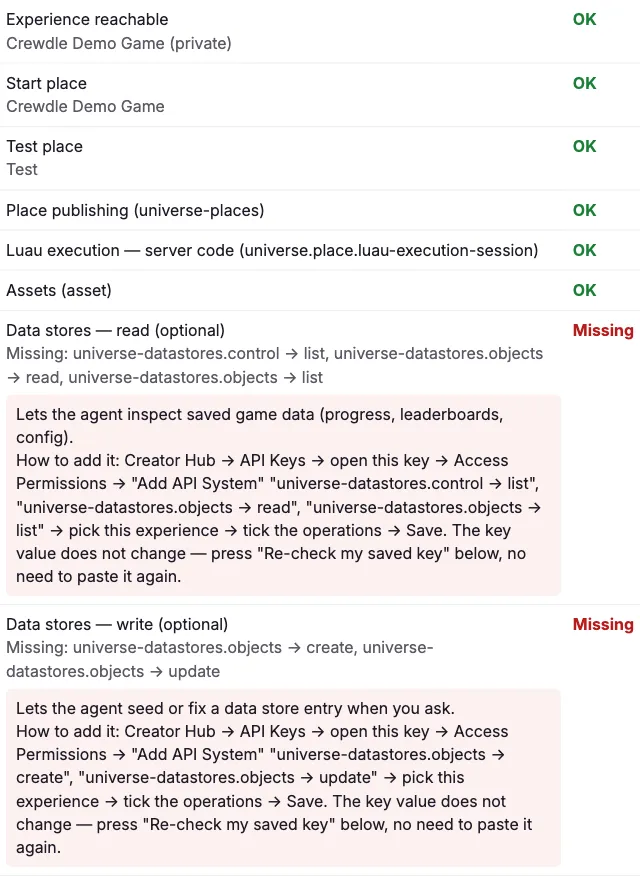
To add a permission later, edit the key in Creator Hub (the key value doesn't change), then press Re-check my saved key on the setup page. The key is stored encrypted on Crewdle's servers and never given to the agent.
5. Brief the game
Describe what you want in plain language: the kind of game, what should happen, and where to publish.
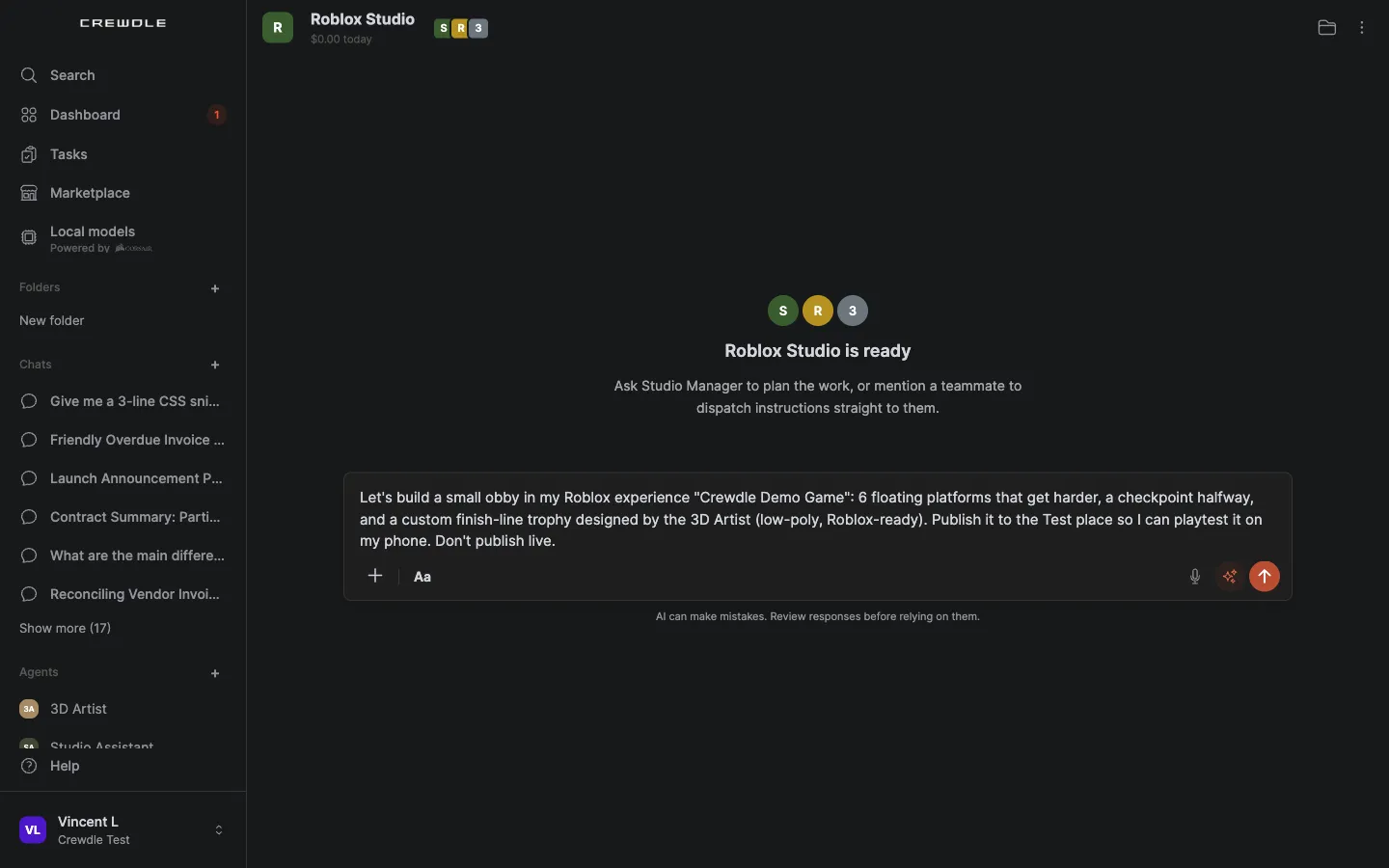
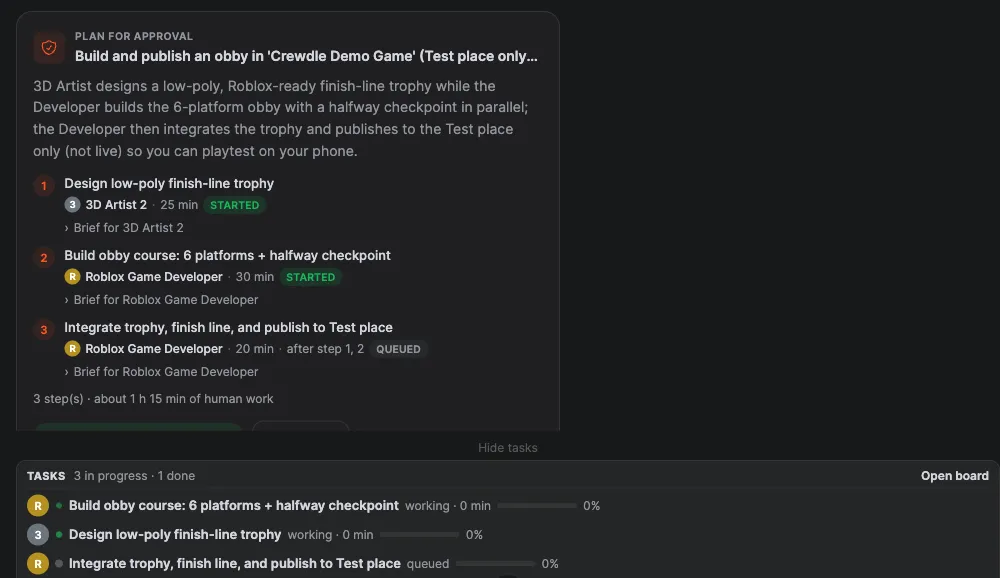
With the team, the Studio Manager answers with a plan for approval: the steps, who does each one and an estimate. Press Approve & start, or Request changes and say what to change.
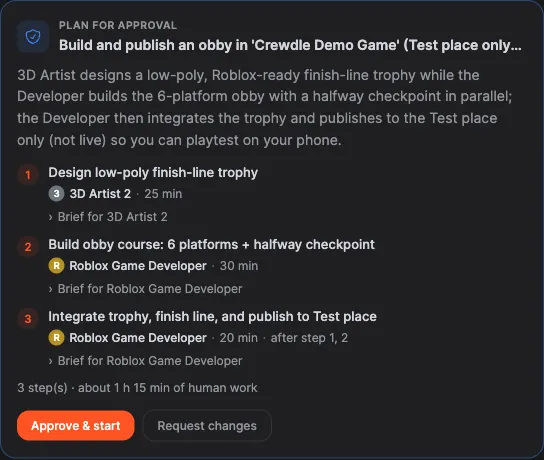
Each step becomes a task on your task board. Steps that depend on others wait in To do and start on their own when their prerequisites are done.
6. How the agent builds
- The game is Luau code in a Rojo project. The agent can start from a template: blank, obby, tycoon or round-based.
- Before anything is published it runs check (lint, format and type-check), then build, then the tests on a real Roblox server.
- The 3D Artist models props in Blender and exports a Roblox-ready FBX: stud-scaled, textures up to 1024 px, triangle budget checked. You can spin the model in Crewdle's 3D preview before it goes into the game.
- It can upload assets (models, images, audio) and tells you each one's moderation status.
- It can read your data stores. Any write asks for your confirmation first.
7. Playtest on the Test place
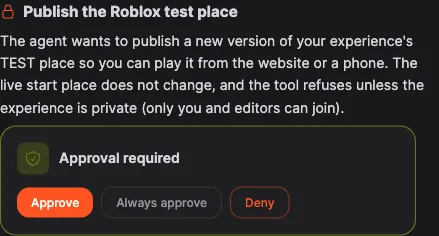
The agent saves the build to your Test place. To play it from the website or a phone, approve the Publish the Roblox test place card. The live start place doesn't change, and the tool refuses unless the experience is private.
The agent then posts the link to the Test place. Play it in the browser, on your phone, or open it in Roblox Studio.
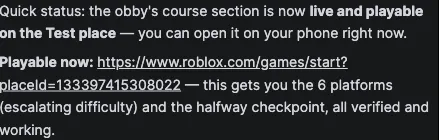
The agent can't see or play the game, so your playtest is the review. Tell it what feels wrong ("the jump on platform 4 is too long") and it changes the code, re-checks, re-tests and republishes the Test place.
8. Approve the live publish
When you're happy, ask for the live publish. It needs a clean check and passing tests, and it waits for your approval every time. Every publish, Test or live, is logged.
Approval cards are easy to miss in a busy team conversation: the Cards view ("N cards need you") filters the conversation down to what's waiting for you.
Limits
- The agent can't see or play the game. You playtest.
- Edits you make in Roblox Studio are overwritten by the next publish. Ask the agent for the change so it lands in the code.
- No Wally packages.
- Signing in with Roblox (OAuth) isn't possible: Roblox requires an API key for publishing.
- Robux and upload quotas stay on your Roblox account.
What it costs
Tokens only, like any hired agent's work, billed at 1.5× the model's list price. There's no seat, session or publish fee, and each agent's monthly budget caps what it can spend. See Credits and billing.
Troubleshooting
- A permission shows Missing. Edit the key in Creator Hub → API Keys → Access Permissions, add the operation with Restrict by Experience on and your experience picked, save, then press Re-check my saved key.
- The experience, start place or Test place fails the check. The IDs are probably swapped. The universe ID and the start place ID both come from the experience's ⋯ menu; the Test place ID is the number in the Test place's Creator Hub address. All three must belong to the same experience.
- The key stopped working. It expired: on its expiration date, or after 60 days without use. Create a new key with the same permissions and reconnect. If you switched on the IP restriction, switch it off.
- The Test-place publish is refused. The experience is public. Make it private while agents publish to the Test place.
- Tests are failing. Ask the agent what failed. A live publish stays blocked until the check is clean and the tests pass.
- The agent is waiting on a publish. An approval card is pending. Open the Cards view to find it.
- Your Studio changes disappeared. The next publish overwrote them. Describe the change to the agent instead.
- The Connect link expired. It's valid for 24 hours. Ask the agent for a new one.
- The team's 3D Artist can't open Blender. Your org admin needs to turn on Blender in Admin → Tools.
Roblox is a trademark of Roblox Corporation. Crewdle is not affiliated with or endorsed by Roblox.
Frequently asked questions
Can the agent play my game?
No. It writes the code and runs tests on a real Roblox server, but it can’t see or play the game. You playtest the Test place on the web, on your phone or in Roblox Studio, then tell it what to change.
Can it publish my game live without asking?
No. A live publish needs a clean check, passing tests and your approval every time. Until then the agent only publishes to your private Test place, and every publish is logged.
Does the agent see my API key?
No. The key is stored encrypted on Crewdle’s servers and never given to the agent, and it only reaches the experience you restricted it to.
Why do I need to add the Test place in Roblox Studio?
Creator Hub’s Add A Place button only offers to download Studio. In Studio, use Asset Manager → Places → Add New Place, then rename the place Test.
What does Roblox work cost?
Tokens only, billed like any hired agent’s work at 1.5× the model’s list price. There’s no seat, session or publish fee. Robux and upload quotas stay on your Roblox account.
