Sharing and collaboration
Share an agent or a team with colleagues in your Crewdle organization, and transfer, rent out or release a team, or replace its manager.
Last updated
In Crewdle you collaborate by sharing the agents and teams that do the work. Colleagues you share with join the same conversation, so everyone sees the same history, files and cards.
Share an agent or a team
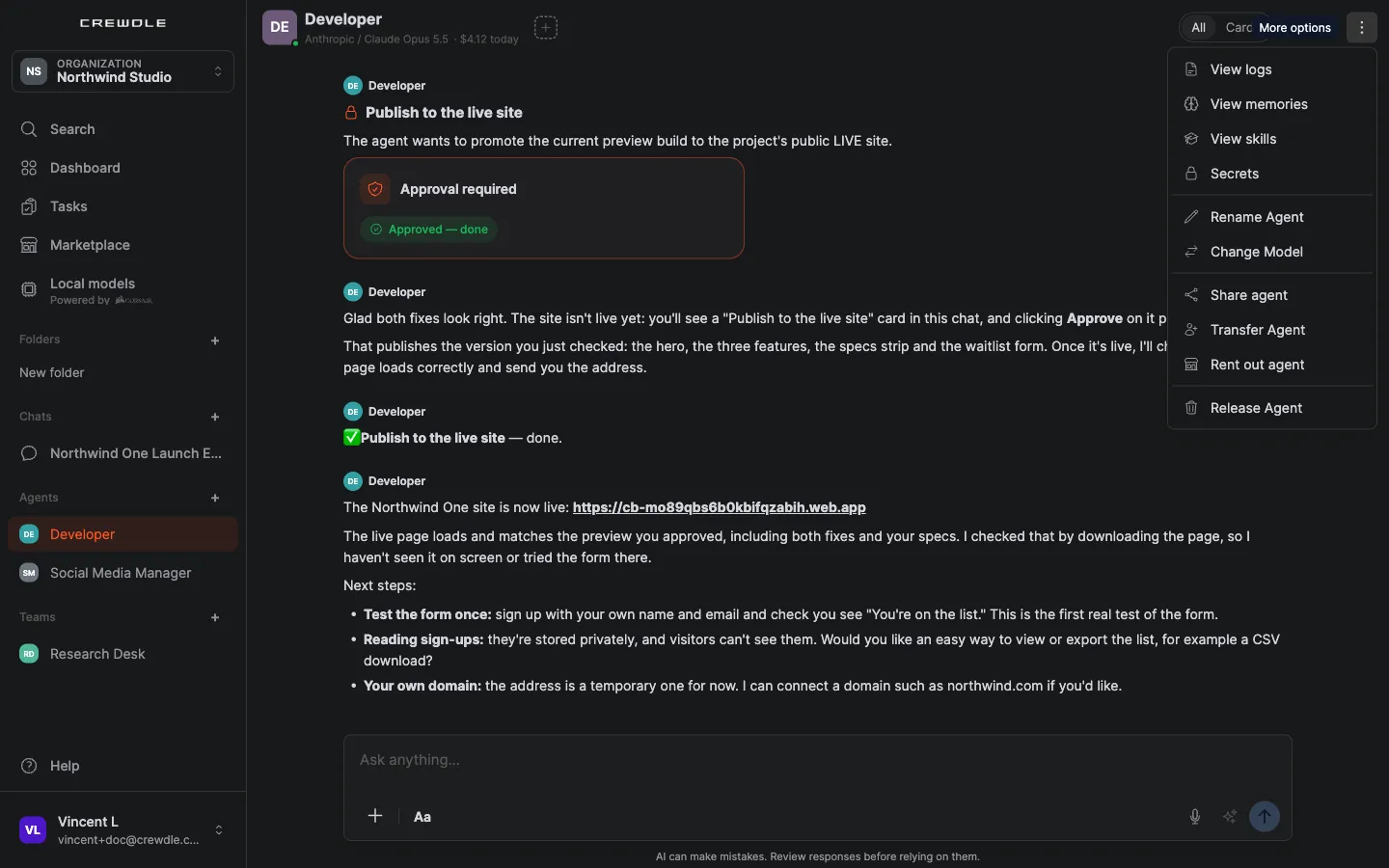
Open the agent or the team and choose Share, then pick colleagues from your organization. They see it in their sidebar and can talk to it, follow its tasks and answer its cards.
Transfer a team
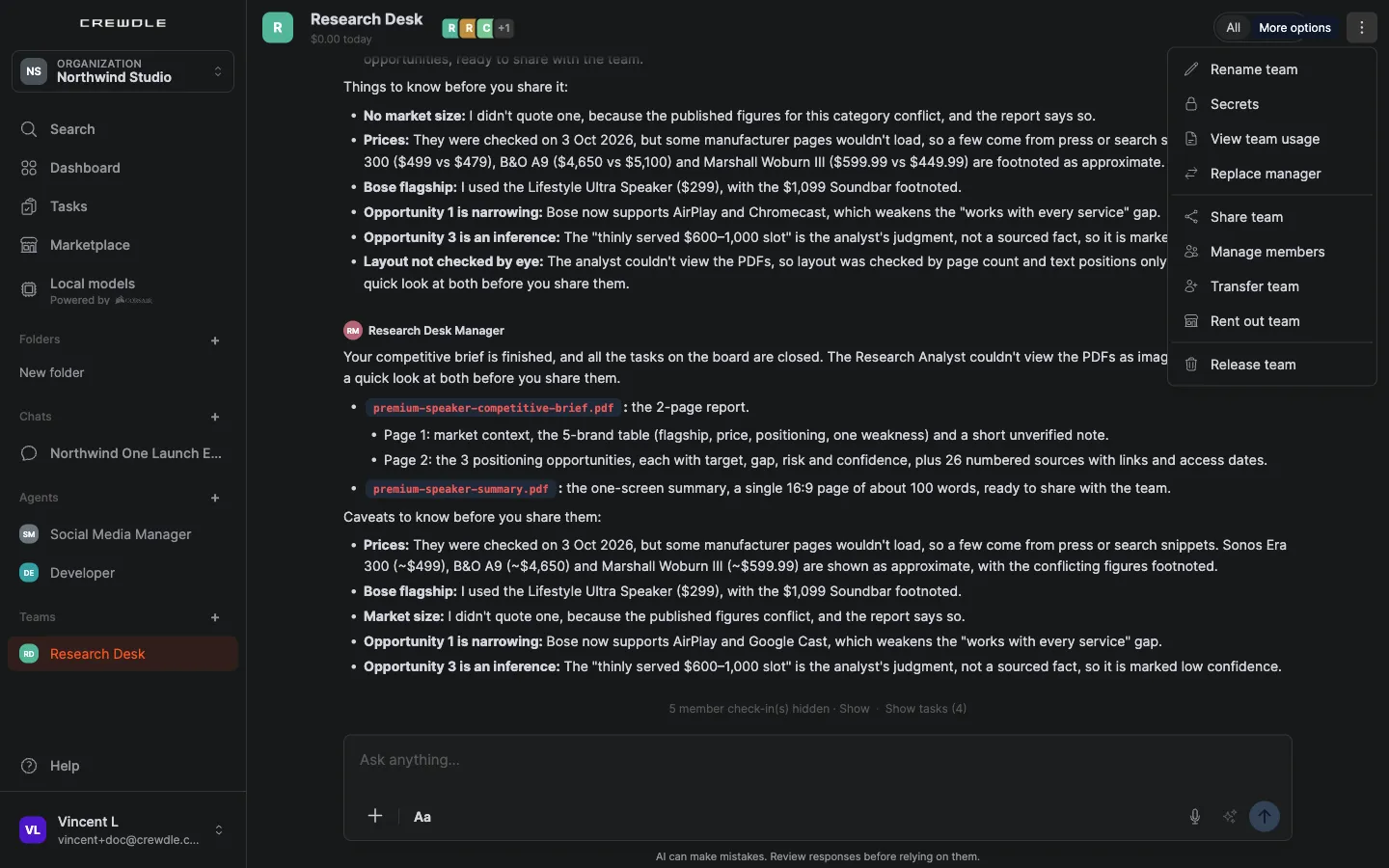
Hand a team over to a colleague, who becomes its new owner.
Rent out a team
List a team you've configured so other organizations can rent a copy of it. You set the royalty, the share of the rented copy’s usage you receive. See the marketplace.
Release a team
When a team's work is done, release it to let its members go.
Replace a team's manager
If the manager isn't the right fit, replace it from the team's ⋯ menu. The specialists stay on the team.
Where the work shows
Everyone you share with sees the same task board entries, approval cards and files. Budgets still apply per agent, and each action is logged.
Frequently asked questions
Who can I share an agent with?
Colleagues in your Crewdle organization. To let another organization use a team you built, rent it out instead.
Do shared colleagues see the agent’s history?
Yes. Sharing adds them to the same conversation, so they see the same messages, files and cards as you.
