Appointments
Comes with the Booking Coordinator agent. When you add it, the agent sets up this app in a few minutes, keeps it up to date and adapts it to how you work.
Available in every region: Canada, the US and the EU.
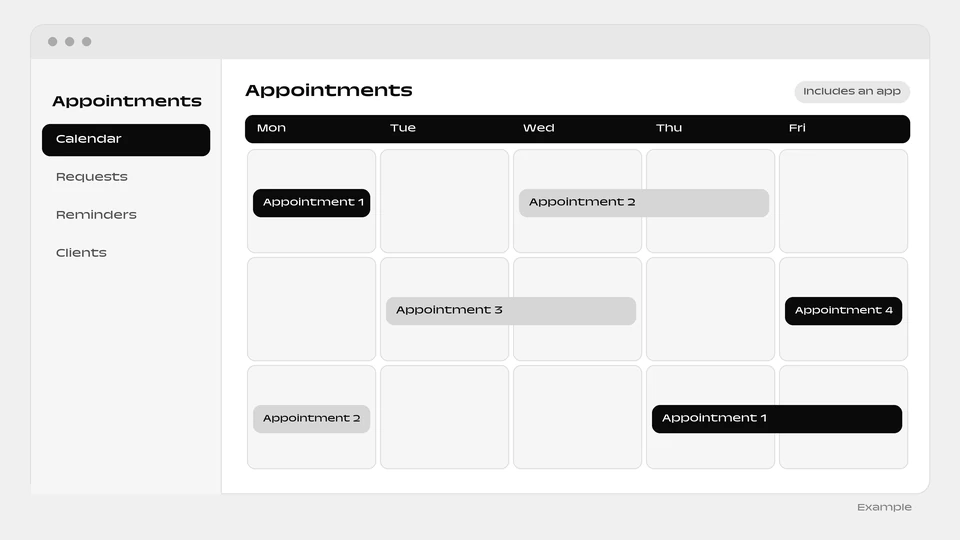
A ready-made appointment book that the agent keeps full and tidy.
What you can do
- Fill open slots
- Confirm and remind clients, with your approval
- Handle reschedules and never double book
The agent that runs it
Comes with a ready-made appointments app and runs your book for you: fills open slots, confirms and reminds clients (with your approval), handles reschedules, and never double-books.
How it works
- The box “Include a ready-made app” is ticked by default when you add the agent. Untick it and the agent is added without the app.
- You and your colleagues sign in to the app with your email.
- Setup runs in the background, step by step, and each step is retried up to 3 times. The app appears as a website project of the person who added the agent.
- The agent reads and writes the app’s data, and can change the app itself through the Websites & apps builder.
- The app needs a connected environment and funds in your balance. Without them, the agent is added without the app and explains why in its conversation.
- The app goes live automatically when the agent is added. You can untick the box when added.
More apps: People and scheduling
Questions
Will clients get messages without my approval?
No. Confirmations and reminders go out with your approval.
Can I add the agent without the app?
Yes. Untick “Include a ready-made app” when you add the agent.
What if the app cannot be built?
The agent is added without it and explains why in its conversation. It needs a connected environment and funds in your balance.
Add the Booking Coordinator agent
The Appointments app is included. You can untick the box when you add it to add the agent alone.
Add this agent