Crewdle Build documentation
Describe what you need and Build generates a working web app: a design system, journey map, mental model, task model, and a live prototype you can publish.
Last updated
Crewdle Build is an AI app generator. You describe your business or idea in plain language, and Build produces a real, working web app you can edit and publish, not just a mockup.
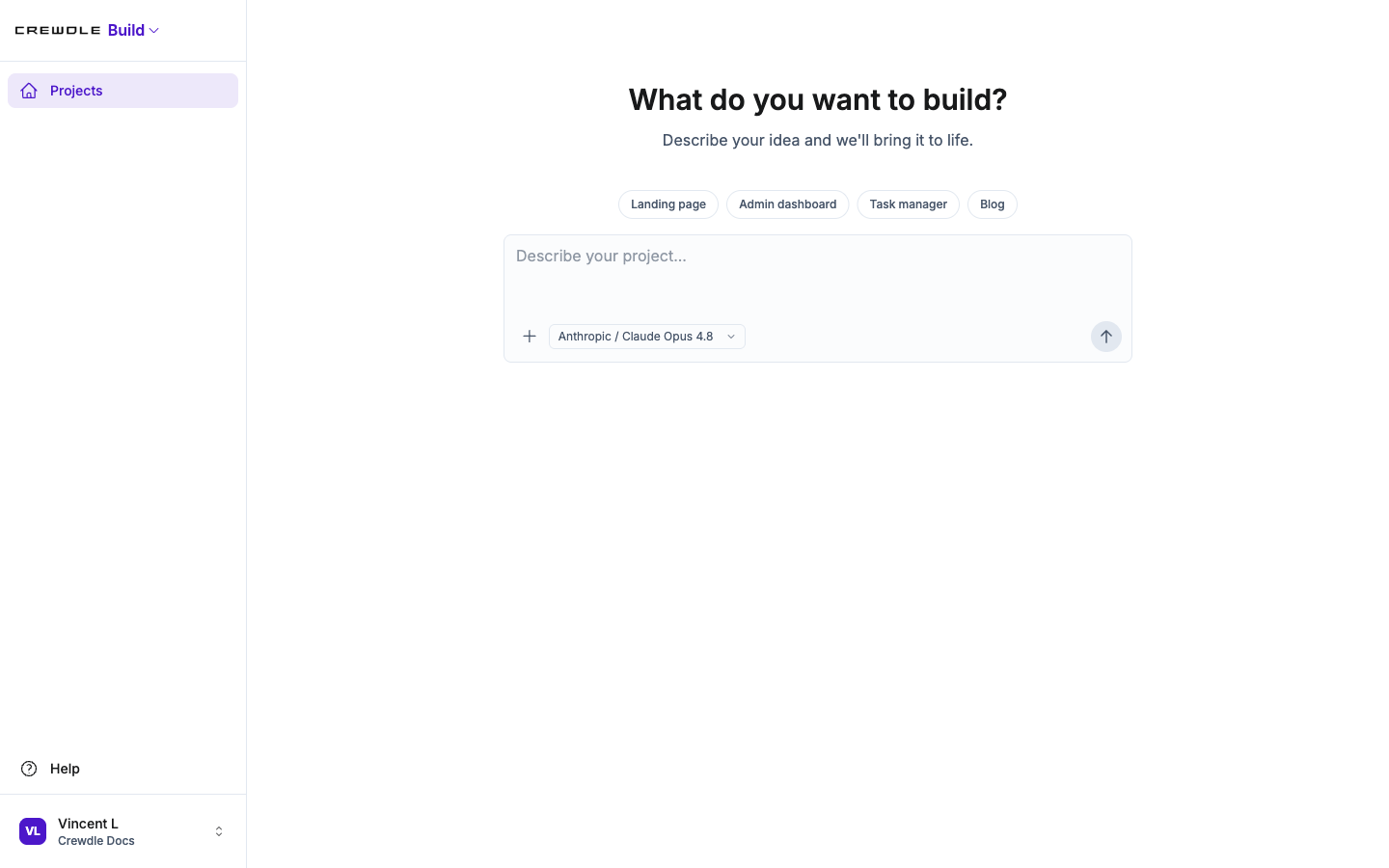 Describe what you want to build, and Build turns it into a working web app.
How Build works: five guided steps
Build follows a structured method so the result is coherent, not a pile of one-off screens. Each step feeds the next, and you can revisit any step to iterate.
- Design system sets your brand: colors, fonts, spacing, and a library of reusable components.
- Journey map lays out how your customers move through the experience, stage by stage.
- Mental model turns that into an information architecture: the key concepts and how to navigate them.
- Task model breaks goals into tasks and maps each one to a screen.
- Prototype assembles a live web app from your design system components, screen by screen.
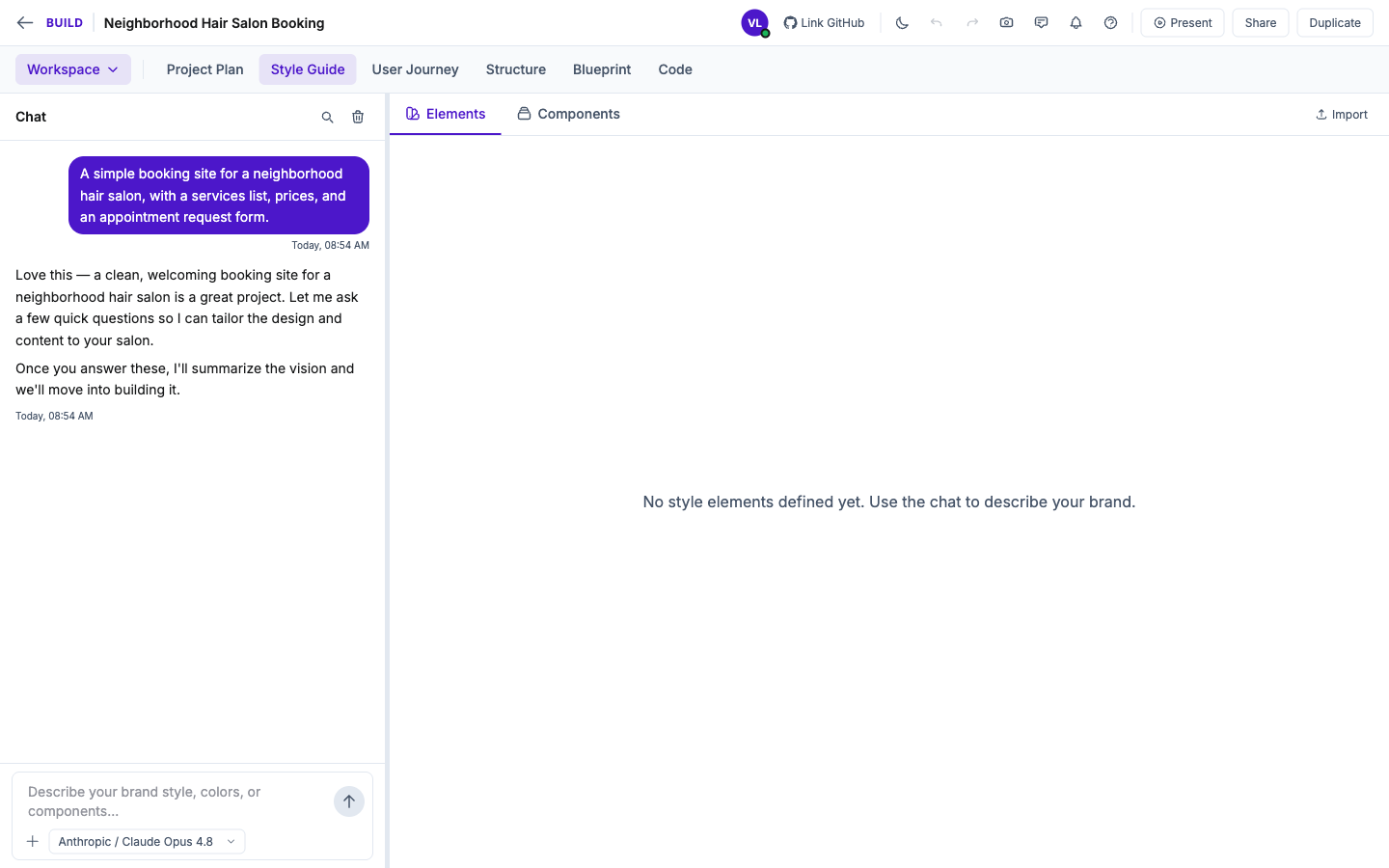 The workspace makes the steps tabs (Style Guide, User Journey, Structure, Blueprint, Code), with an AI chat alongside to drive each one.
Describe, generate, edit, publish
Start a project and tell Build what you need: a storefront, a customer portal, an internal scheduler. Build generates it with real pages, real flows, and realistic data. From there you can change copy, swap colors, add a section, or edit the underlying code in the built-in editor. When it is ready, publish it to a live URL, and point your own custom domain at it.
How to start a project
- Open Build and describe what you want, or pick a starter like Landing page or Admin dashboard.
- Answer the AI's quick questions, then let it work through the guided steps.
- Edit anything in the workspace, then Present, Share, or publish to a live URL.
What you can build
- Websites: storefronts, marketing sites, and info pages
- Customer portals: login, accounts, and dashboards for your customers
- Internal tools: schedulers, dashboards, and forms for your team
Collaboration and sharing
Build supports real-time collaboration, so more than one person can work on a project at once. Share a project with a link for review and comments, present it in a full-screen walkthrough, and sync the code to GitHub when a developer needs to take it further.
Build CLI for developers
When the visual generator is not enough, developers can drop down to the Build CLI for AI-assisted coding in the terminal, working on the same project and the same platform. It authenticates with your Crewdle account. See the Build product page for more.
Frequently asked questions
Does Crewdle Build produce real software or just a mockup?
Real software. Build generates a working web app with real pages, flows, and data that you can edit and publish to a live URL.
Do I need to know how to code to use Build?
No. You describe what you need in plain language and Build generates it. Developers can optionally drop into the code editor or the Build CLI for deeper changes.
Can I publish a Build app to my own domain?
Yes. You publish to a live URL and can connect a custom domain. Build also handles version history so you can roll back.
