Credits and billing
How Crewdle pricing works: pay-as-you-go credits, tokens, one bill for every app, auto top-up, and cost controls. No subscription, no per-seat fees.
Last updated
Crewdle is pay-as-you-go. There is no subscription and no per-seat fee. You buy credits, and the AI draws on them only when it does work. Idle users and idle agents cost nothing. New accounts start with free credits, so you can try the AI before you pay anything.
Credits and tokens
AI models measure work in tokens: small chunks of text, roughly four characters each, counted for both what you send (input) and what the model returns (output). Each model has its own price per token. Crewdle converts that token usage into credits, a single currency that works the same across Chat, Connect, Create, Build, and Forge.
Two simple fees
Every price starts from the provider's public list price. When Chat, Create, or Admin calls a model directly, a 30% platform fee is added (1.3× list). When a model runs through a harness, in Connect, Build, or Forge, including workflows on the Forge runtime, a 20% harness fee is added instead; the fees never stack (1.5× list).
The harness fee covers more than the markup suggests. It includes the dedicated secure environment your agents and workflows run in: Crewdle hosts and operates it, so there is no server to rent, no hosting bill, and no infrastructure to patch or monitor. And the harness itself enforces best practices, like context management and caching, that minimize the tokens each job consumes. See current model prices.
One bill for everything
All six apps run on the same balance and show up on one statement. The Usage dashboard in Admin breaks spend down by product, user, and model, so you always know where credits go.
Buy credits and auto top-up
Add credits from Admin → Billing, paid through Stripe. To avoid running out, turn on auto top-up: choose a balance threshold and a top-up amount, and Crewdle refills automatically when you drop below it. You can also set a low-balance alert.
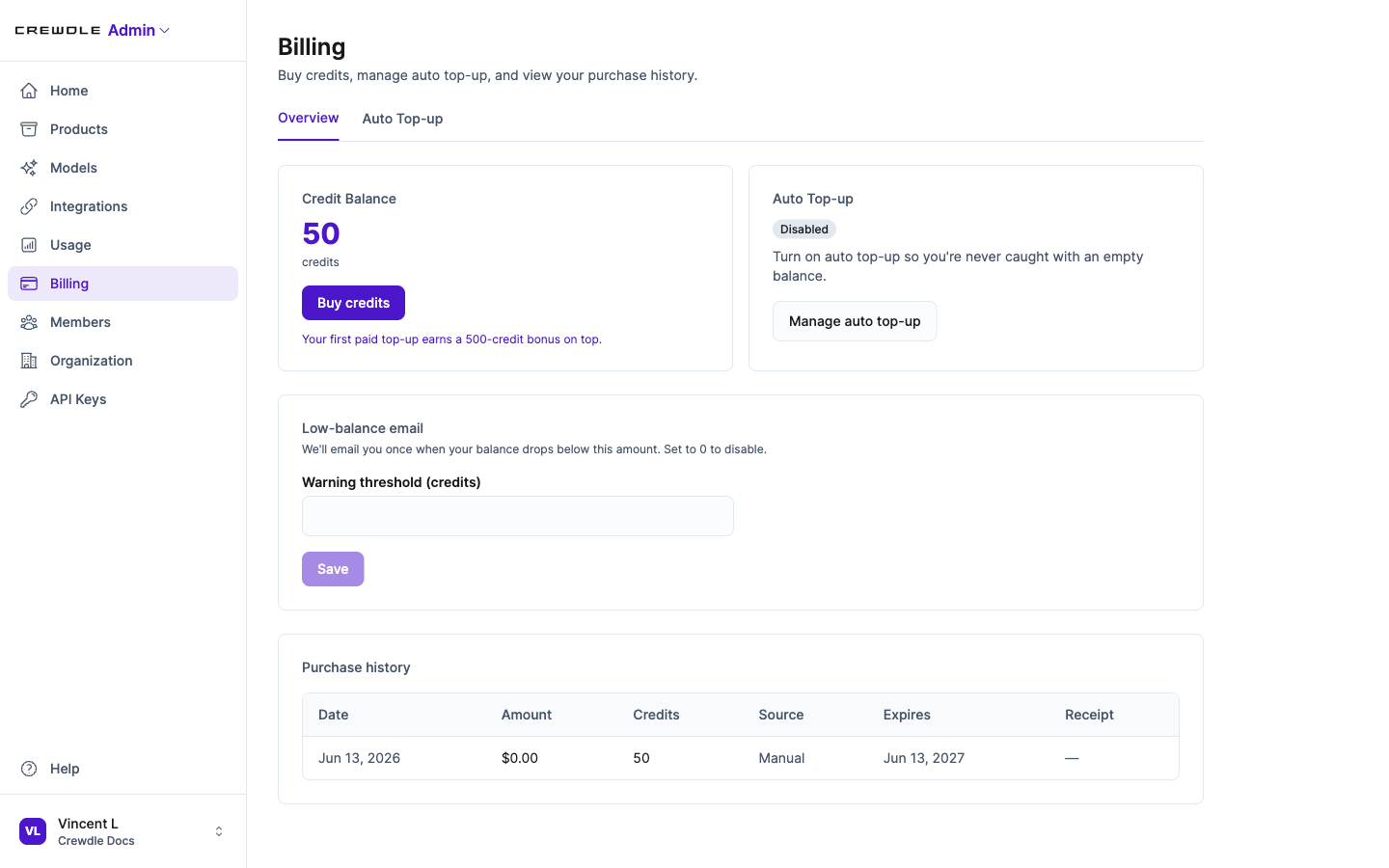 The Billing page in Admin: buy credits, manage auto top-up, set a low-balance alert, and review purchase history.
Keep costs down
- Smart model routing sends routine work to cheaper models and saves the top models for hard problems. See Models.
- Role-based access lets you limit which models and apps each role can use. See Admin.
- The usage forecast projects your month-end total and balance so there are no surprises.
Expiring credits
The billing page shows credits that are scheduled to expire and the windows they fall in, so you can plan purchases and use what you have.
Frequently asked questions
Do I get free credits when I sign up?
Yes. New accounts start with free credits so you can try the AI before paying anything. No subscription and no credit card are required to begin.
How does Crewdle pricing work?
Crewdle is pay-as-you-go with no subscription and no per-seat fees. You buy credits and are charged only when the AI does work, measured in tokens and converted to credits.
What is a token?
A token is a small chunk of text, roughly four characters. AI models count tokens for both your input and their output, and that usage is converted into credits.
Do unused users or agents cost money?
No. There are no per-seat fees. You pay only for the work the AI actually performs, so idle users and idle agents cost nothing.
What does the harness fee include?
The dedicated secure environment your agents and workflows run in, hosted and operated by Crewdle with no separate hosting bill, plus a harness that enforces best practices to minimize the tokens each job consumes.
