Crewdle Chat documentation
Chat with GPT, Claude, Gemini, and Grok in one place. Upload documents, build knowledge bases, and search the web, all on one bill.
Last updated
Crewdle Chat is where your team does day-to-day AI work. It puts several frontier models in one interface, so you stop juggling separate subscriptions and logins.
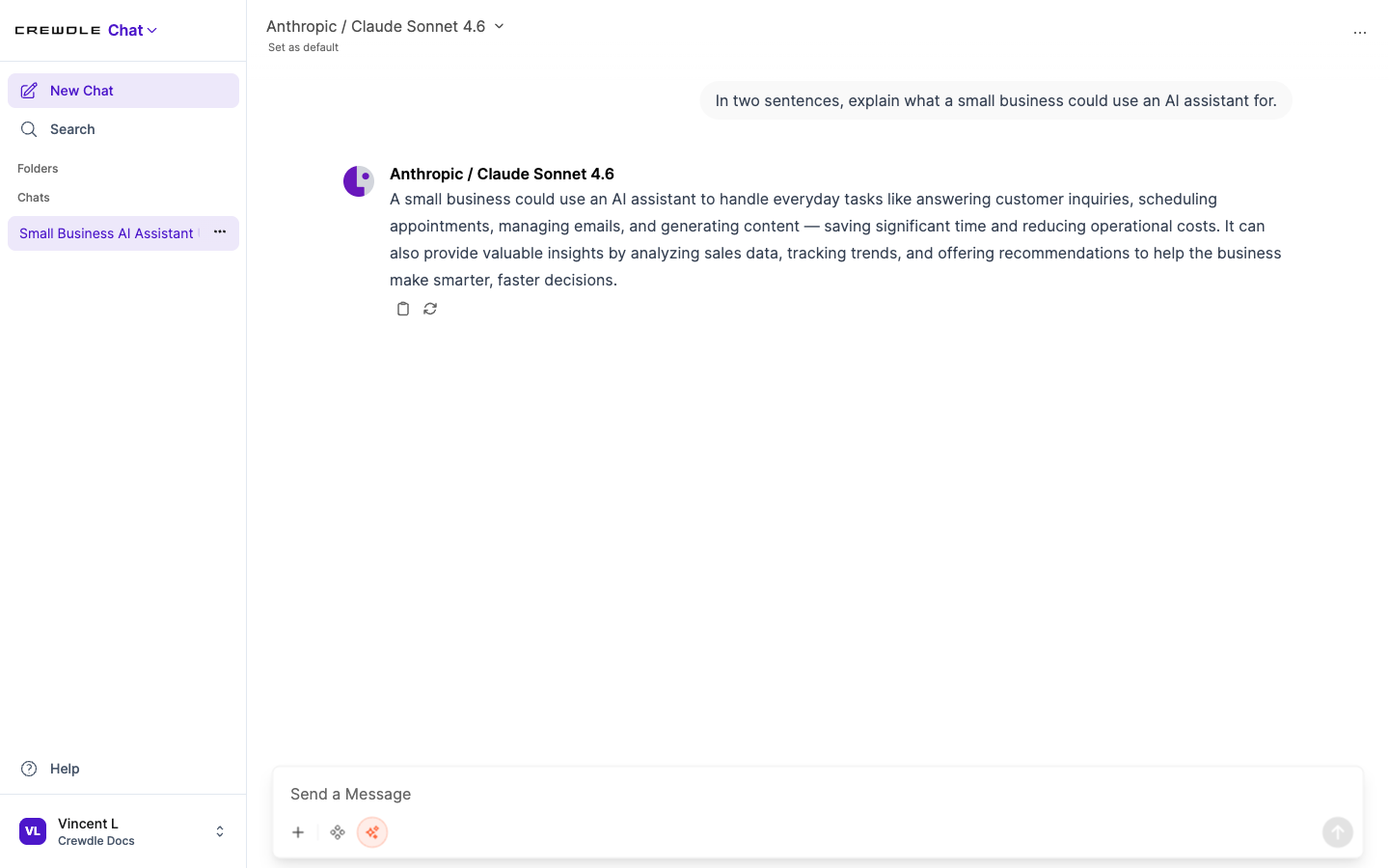 Ask a question and get an answer from the model you picked, with copy and regenerate right there.
Choose a model
Switch between GPT, Claude, Gemini, and Grok at any time, even mid-conversation. There is no setup and no API keys: Crewdle holds the model relationships, you just talk. Or pick a Smart Routing option, available for Claude, GPT, and Gemini, and Crewdle automatically routes each request to the right model in that family based on its complexity: a faster, cheaper model for simple asks, a top model for the hard ones.
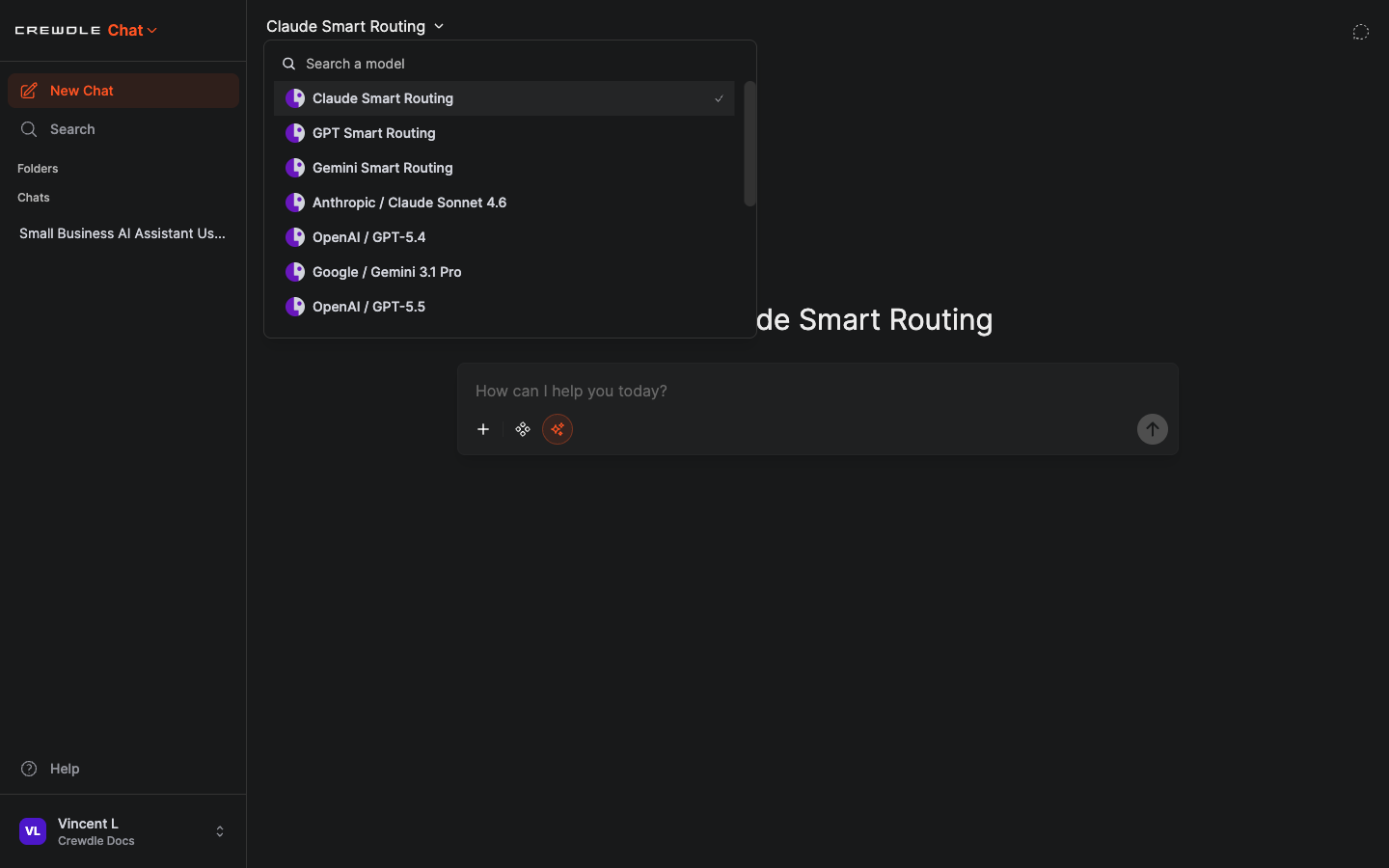 Pick a specific model, or choose Smart Routing for Claude, GPT, or Gemini to let Crewdle pick the right one for each request.
How to switch the model
- Click the model name at the top of the chat.
- Pick a model from the list, or type to search for one.
- Keep chatting. You can switch again at any time, even mid-conversation.
Start and organize chats
Create a new chat from the sidebar, then keep your history tidy:
- Folders group related conversations.
- Pin the chats you return to often.
- Search finds past conversations by title or content.
- Archive hides finished chats without deleting them.
- Share generates a read-only link to a conversation.
How to keep your chats organized
- Click New Chat in the sidebar to start a fresh conversation.
- Group related chats into a folder, and pin the ones you use most.
- Use Search to find any past conversation by title or content.
Work with documents and files
Attach PDFs, Word and Excel files, CSVs, code, images, and more, then ask questions about them. Chat extracts the content and uses it to answer. For a reusable reference, build a knowledge base: a curated set of documents the AI draws on automatically when it answers (retrieval-augmented generation).
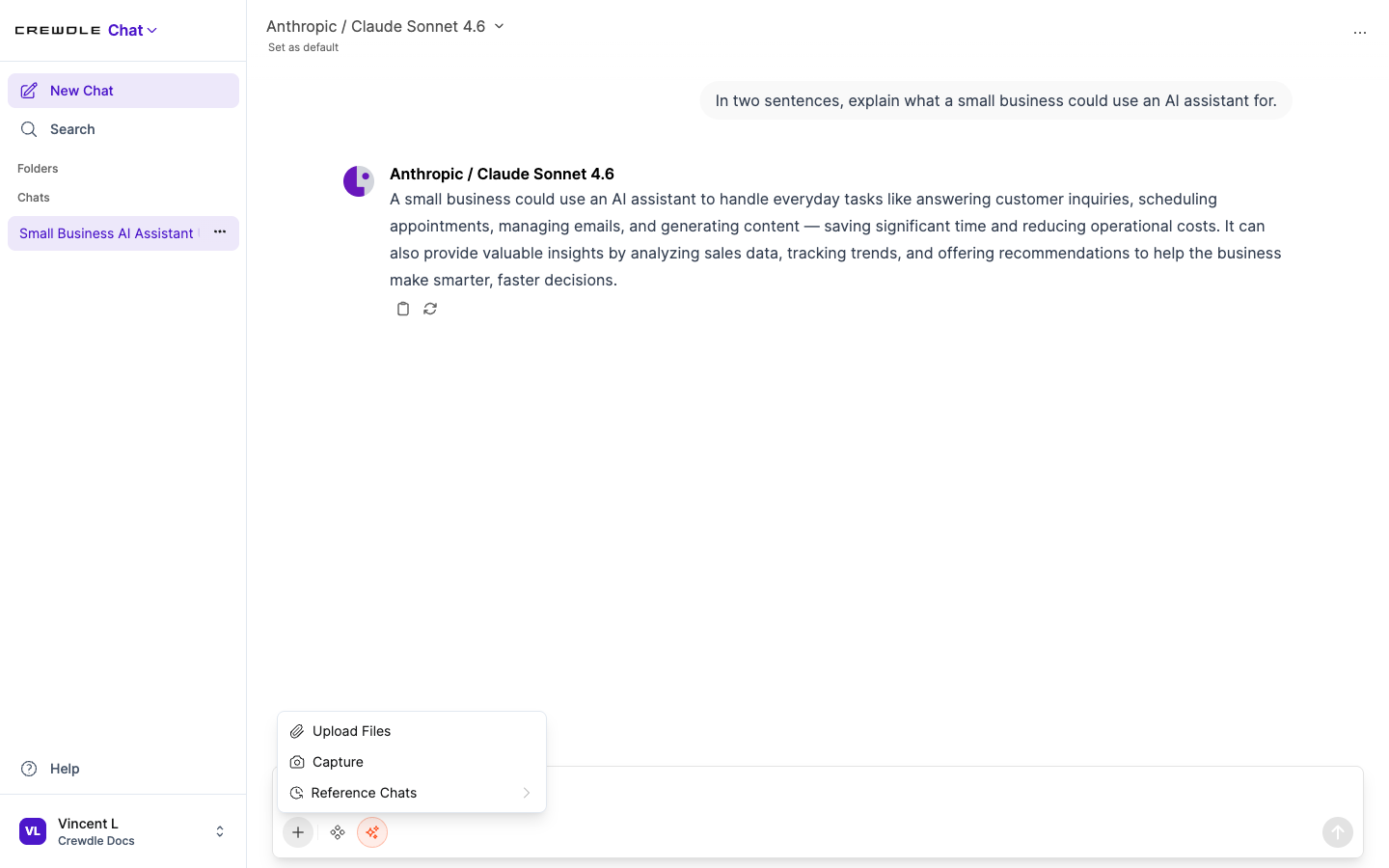 Add a file from the + menu, or pull in another chat as reference.
How to ask about a document
- Click the + in the message box and choose Upload Files.
- Pick a PDF, spreadsheet, image, or other file.
- Ask your question. Chat reads the file and answers from it.
Search the web
Turn on web search to pull in current information and get answers with citations to the sources. Chat can also read a specific web page or a video transcript when you paste a link.
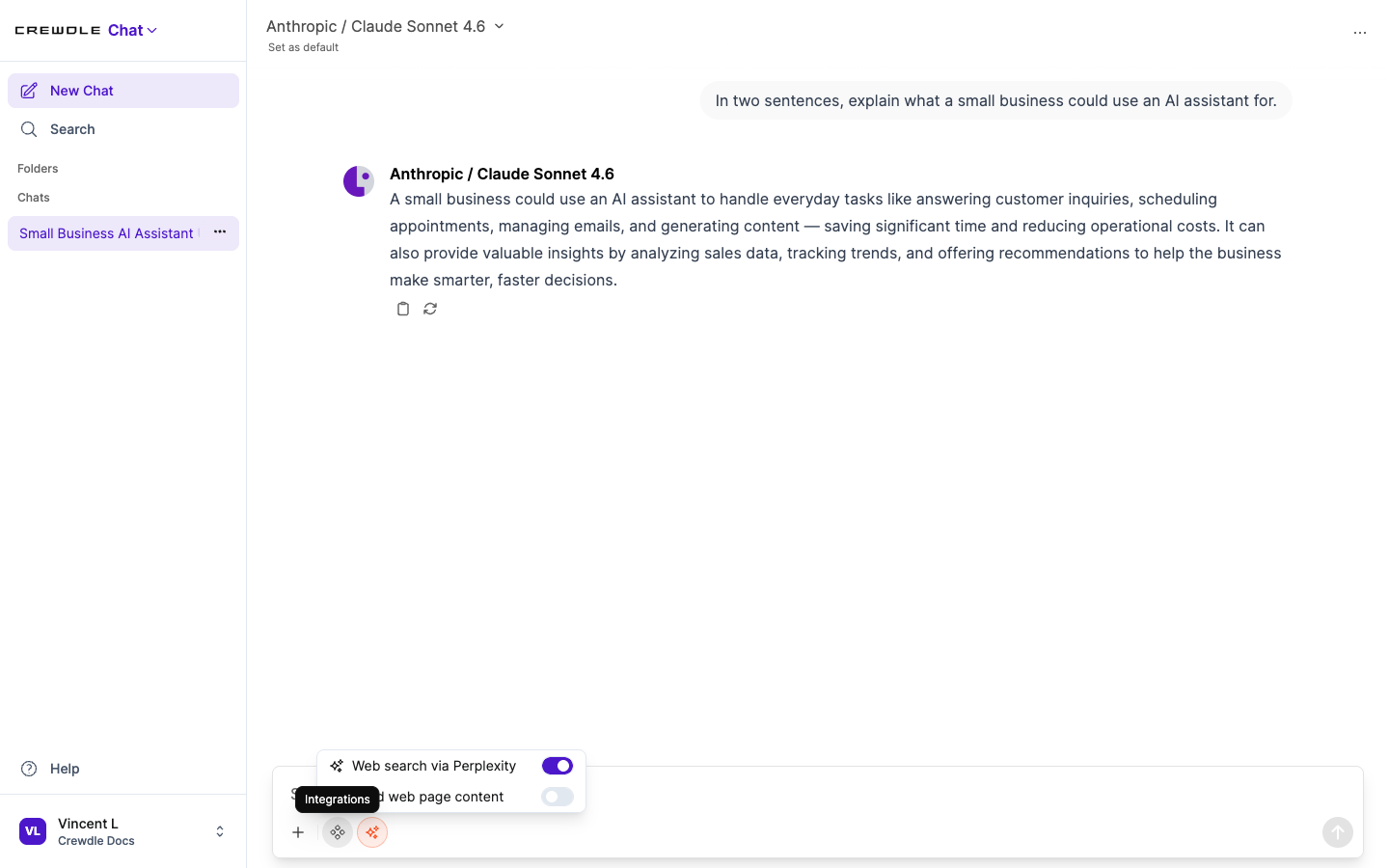 Turn on web search to bring in current information with citations to the sources.
How to search the web in a chat
- Open the tools menu in the message box.
- Turn on Web search.
- Ask your question. The answer pulls in current information with links to the sources.
Prompts and tools
Save reusable prompt templates with a slash command and variables, so common requests are one keystroke away. Chat can also use tools to search, read pages, and run functions on your behalf.
Team workspace
Shared models, knowledge bases, prompts, and tools live in the workspace, with role-based access so your team works from the same building blocks. Your conversations are yours and are never used to train AI. See Security and privacy.
Frequently asked questions
Which AI models does Crewdle Chat support?
Chat gives you GPT, Claude, Gemini, and Grok in one interface. You can switch between them at any time, including in the middle of a conversation.
Can I ask questions about my own documents?
Yes. Upload a file and ask about it directly, or build a knowledge base of documents that the AI draws on automatically when it answers.
Are my Crewdle Chat conversations used to train AI?
No. Your conversations are yours and are never used to train AI models.
