Crewdle Connect documentation
An always-on AI crew that runs 24/7 and decides on its own when to act, so work gets done while you sleep. Meetings and team chat are built in for when a human steps in.
Last updated
Crewdle Connect gives you an always-on AI crew. You hire an agent, give it a job and your tools, and it runs around the clock: watching what is happening, deciding on its own when something needs doing, and acting without waiting for a trigger or a person in the room. It works while you sleep.
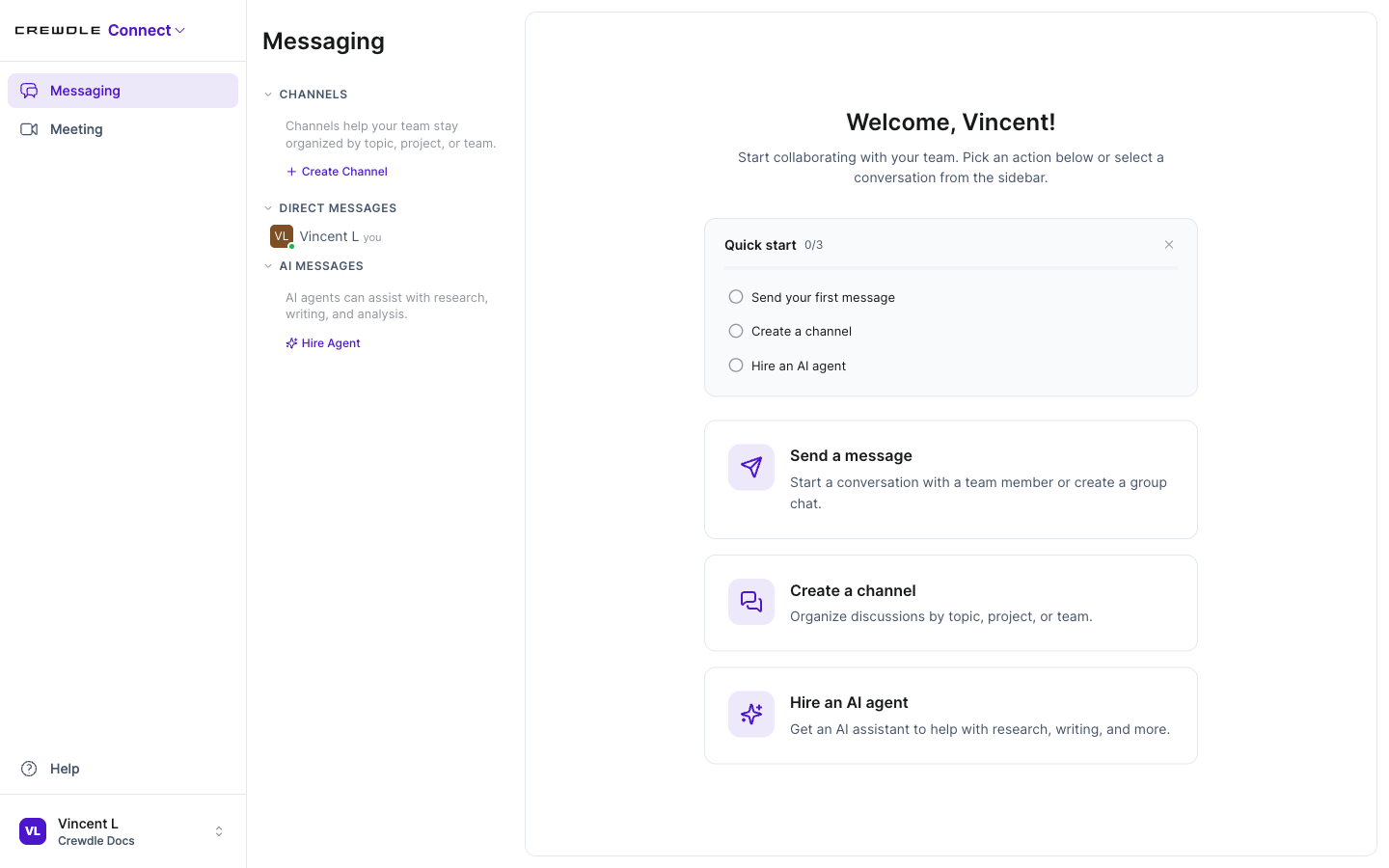 Connect is one workspace for team channels, direct messages, AI agents, and video meetings.
An agent that works on its own
A Connect agent is autonomous. Once it is set up, it stays on 24/7, keeps an eye on whatever you put it in charge of, the inbox, the schedule, inventory, incoming leads, and decides for itself when to respond, follow up, or flag something. No shifts, no days off, and no one needed in the conversation.
Hire an agent and give it a job
Create an agent, give it a name and a role, and pick the model that powers it (Claude, GPT, or Gemini). Describe what it should watch and how to handle it. Run as many agents as you need, one per job, and rename or switch the model of any agent later.
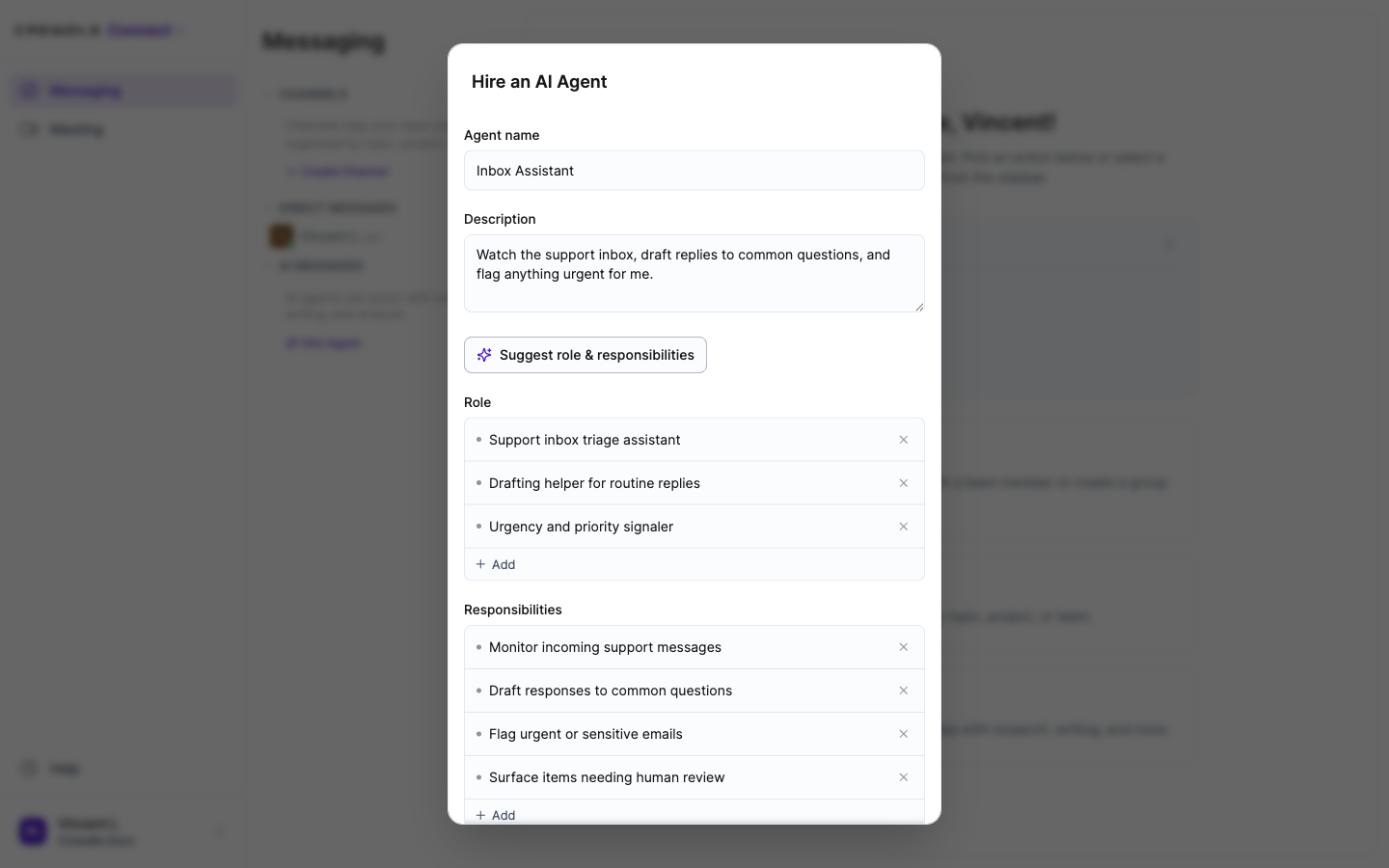 Name the agent, describe its job, set its role and responsibilities, and choose the model that powers it.
How to hire an agent
- In Messaging, click Hire Agent.
- Give it a name and describe what it should do. Use Suggest role & responsibilities to fill in the details, or add your own.
- Pick the model that powers it, then click Hire Agent. It starts working and appears under AI Messages.
Connect it to your tools
Give the agent access to your tools so it can act on them on its own. Connectors include email and calendar (Gmail, Google Calendar, Outlook), cloud storage (Google Drive, OneDrive), documents and spreadsheets, e-commerce and inventory (Shopify), accounting (QuickBooks, Xero), and more. You authorize each connection with secure OAuth or an API key and control the exact actions the agent may take. See Integrations and connectors.
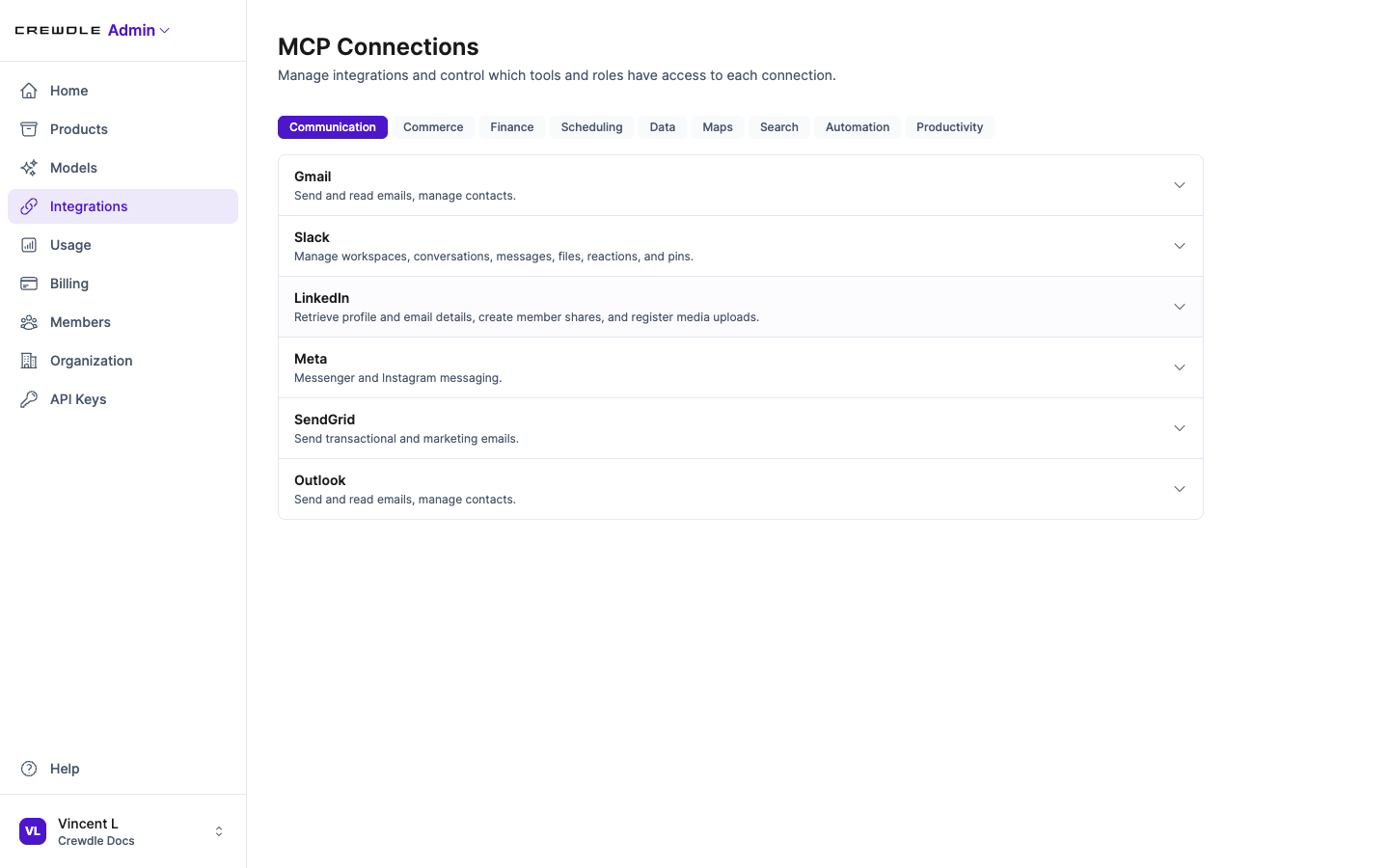 Connectors are enabled in Admin, then appear in each agent's Connections panel for it to use.
How to give an agent a tool
- In Admin → Integrations, enable the connector you want (for example Gmail or Shopify) and authorize it.
- Open the agent and check its Connections panel, where enabled connectors appear.
- Tell the agent what to do with the tool. It then acts on your behalf, only within the actions you allowed.
Apps your agent builds
Beyond replying and saving files, a Connect agent can build small interactive apps from your data, like charts, dashboards, and reports. They appear in the Apps section of the conversation's file panel; open one and it runs right there. Each app runs in a secure sandbox isolated from the rest of Crewdle, and shows a reminder not to enter passwords or other sensitive information, since it was generated by an agent.
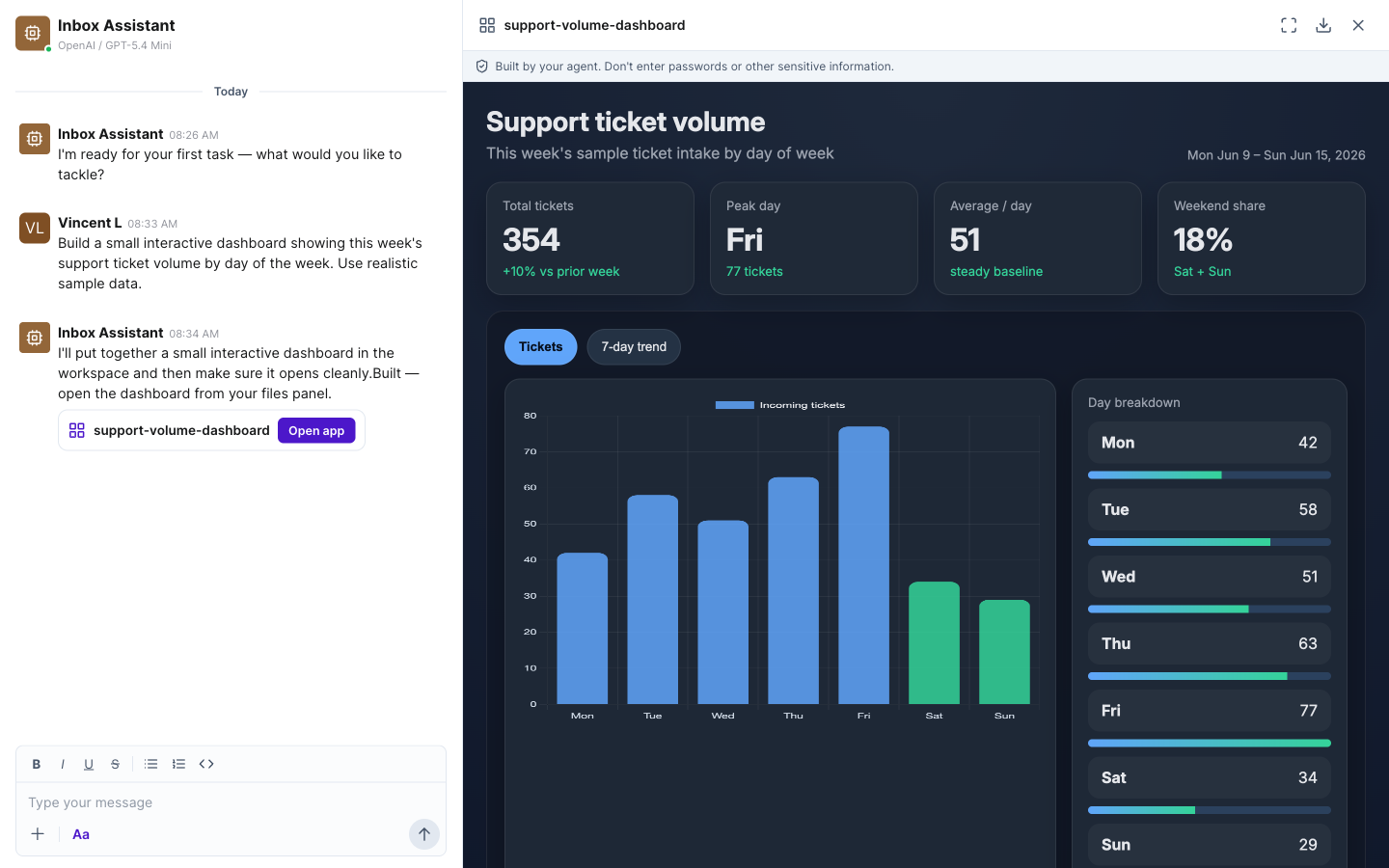 Ask for a dashboard and the agent builds a live, interactive app you open right in the conversation.
How to ask an agent to build an app
- In the conversation, describe what you want, for example "Build a dashboard of this week's support tickets by day."
- The agent builds it and posts an Open app card in the chat.
- Click Open app to run it in a secure sandbox. You can expand, download, or close it any time.
An agent can also generate assets, like images and video, right in the conversation. Ask for a product image, a social graphic, or a short clip, and the result is saved as a file you can open and download.
Stay in the loop
Check in whenever you like to see what your agents have done and what they are working on. When a human needs to step in, video meetings and team messaging are built into the same app, including channels, threads, mentions, screen sharing, and recordings.
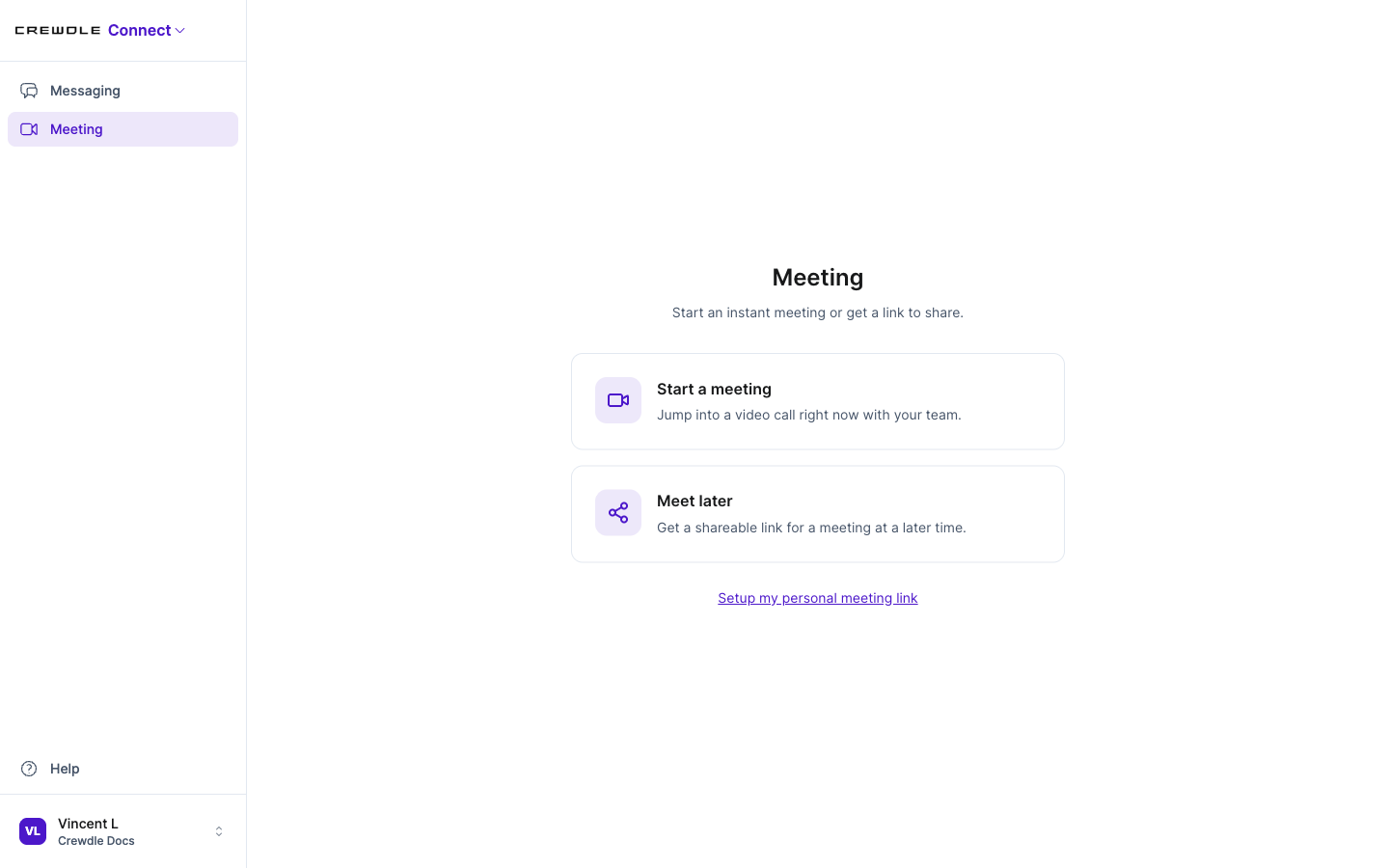 Video meetings are built in: start one instantly, or share a link for later.
How to start a video meeting
- Open Meeting in the sidebar.
- Click Start a meeting to jump into a call now, or Meet later to get a shareable link.
- Share the link with your team. Screen sharing and recordings are built in.
You only pay when an agent works
Agents are billed in credits only when they actually do something. An idle agent costs nothing, so leaving a crew running around the clock does not run up a bill on its own. See Credits and billing.
Connect vs Forge
Both put AI agents to work, in different ways. Connect is an autonomous agent that runs on its own and decides when to act. Forge is for triggered workflows: you define the trigger and the steps, and the workflow runs that exact sequence each time the trigger fires. Use Connect when you want an agent to watch and decide for you; use Forge when you want a repeatable pipeline you design.
Where it runs
Connect runs in any modern browser, on desktop and mobile, with the same account everywhere.
Frequently asked questions
What is a Connect AI agent?
It is an autonomous AI worker you hire and give a job. Once set up, it runs 24/7, watches whatever you put it in charge of, and decides on its own when to act. You give it a name, a role, a model (Claude, GPT, or Gemini), and access to your tools.
Do Connect agents really work 24/7 while no one is online?
Yes. A Connect agent runs around the clock and acts on its own, so it can answer a customer, follow up on a lead, or flag an issue while you sleep, with no one in the conversation.
What is the difference between Connect and Forge?
Connect is an autonomous agent that runs on its own and decides when to act. Forge is for triggered workflows you design: you set a trigger and the steps, and it runs that exact pipeline each time the trigger fires.
What tools can a Connect agent use?
Through connectors, an agent can use email and calendar, cloud storage, documents and spreadsheets, e-commerce and inventory like Shopify, and accounting like QuickBooks and Xero, with the specific actions you allow it to take on its own.
Can a Connect agent build apps or dashboards?
Yes. As well as replying and saving files, an agent can build small interactive apps, like charts and dashboards, from your data. They appear in the Apps section of the file panel and open right in the conversation, running in a secure sandbox isolated from the rest of Crewdle.
Can I use Crewdle Connect on my phone?
Yes. Connect runs in any modern mobile browser, with the same account you use on desktop.
